Product designer specializing in data analytics and visualization

With a focus on data communication, connected systems, and crafting beautiful experiences

I’m happiest when I’m learning, challenging myself, and creating in any form. I seek to find, share, and add beauty in the world around me. This may mean baking cakes and treats, taking pictures of silly clouds, illustrating, or bringing clarity to others. I thrive with ambiguity and difficult problems, and bring deep curiosity and care to everything I do.

I have a background in mathematics and in visual/brand design, and feel lucky to have carved out a career that I love blending the two.

January 2026, MAIA Analytics

Data communication and transparency

Sole designer

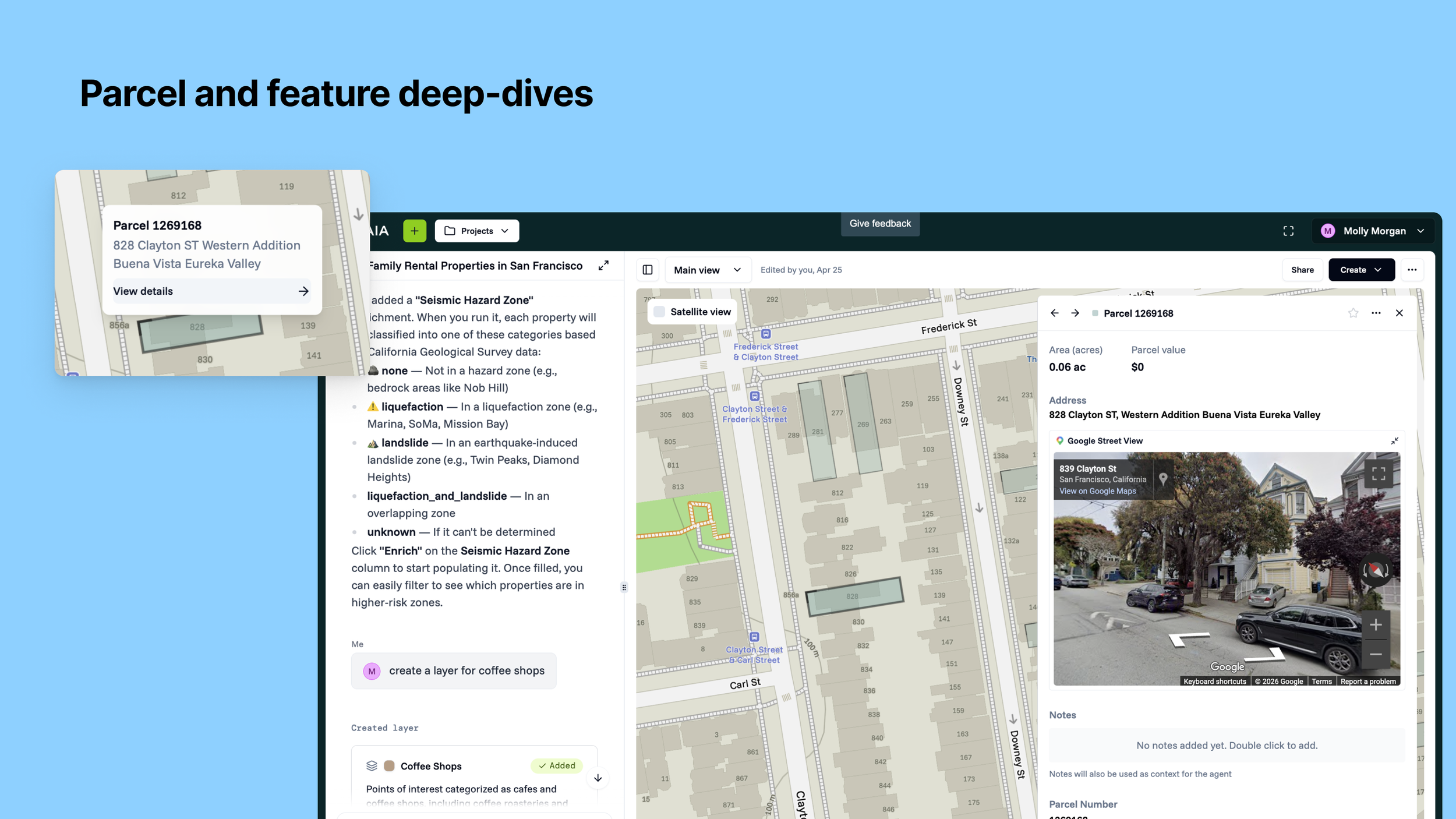
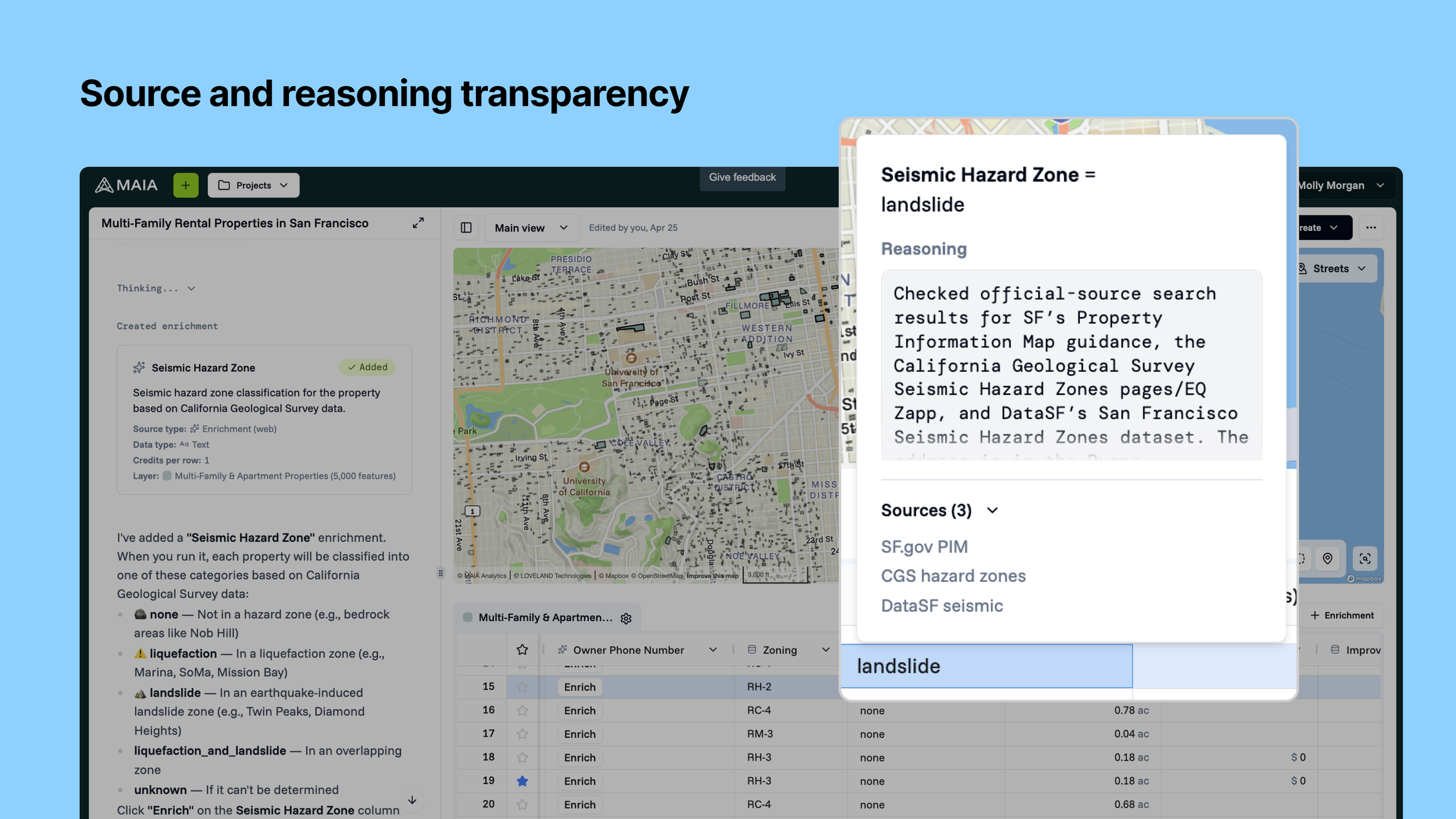
MAIA has three tiers of data currently: Base datasets, enrichments, and agent-derived data (calculated). In the near future, we will also have user-added data. Because of the breadth and depth of data, and the agent’s abilities to grab data through web searches and calculations, transparency is paramount. Data communication and transparency is critical for a user’s ability to trust and take action with the data. This includes understanding where the data is coming from, the agent’s reasoning that lead to the output, and how our system uses and builds its data model.

We have ongoing initiatives around data consumption, communication, and transparency. This problem space also evolves as our agent capabilities and base data sets evolve.

Business problems: Be involved in more of the user's core workflow and keep them living in the platform, which means ensuring users can generate, consume, and edit their data all within MAIA. Improve our own data and feedback on data quality, helping generate a novel user-contributed dataset.

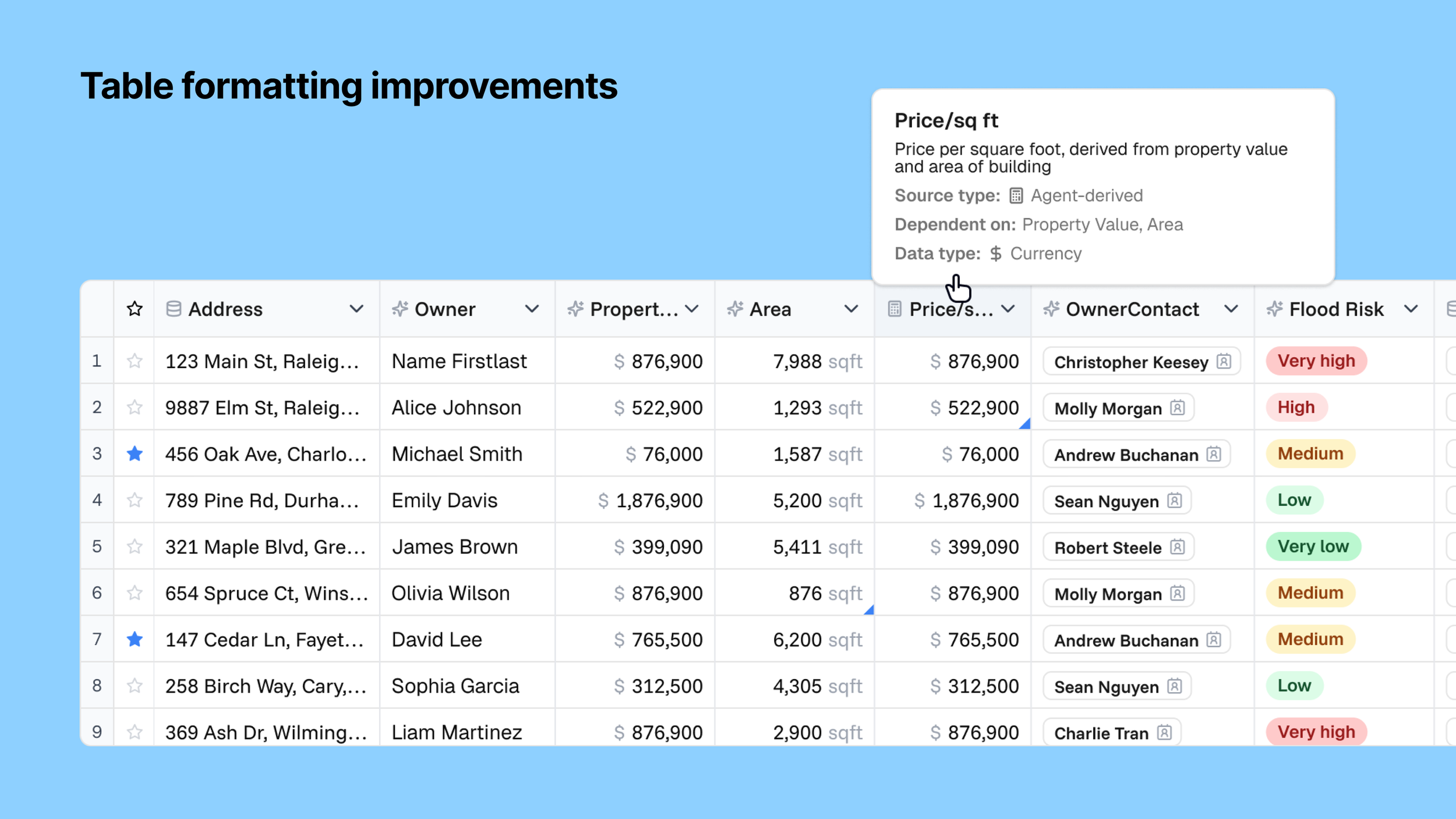
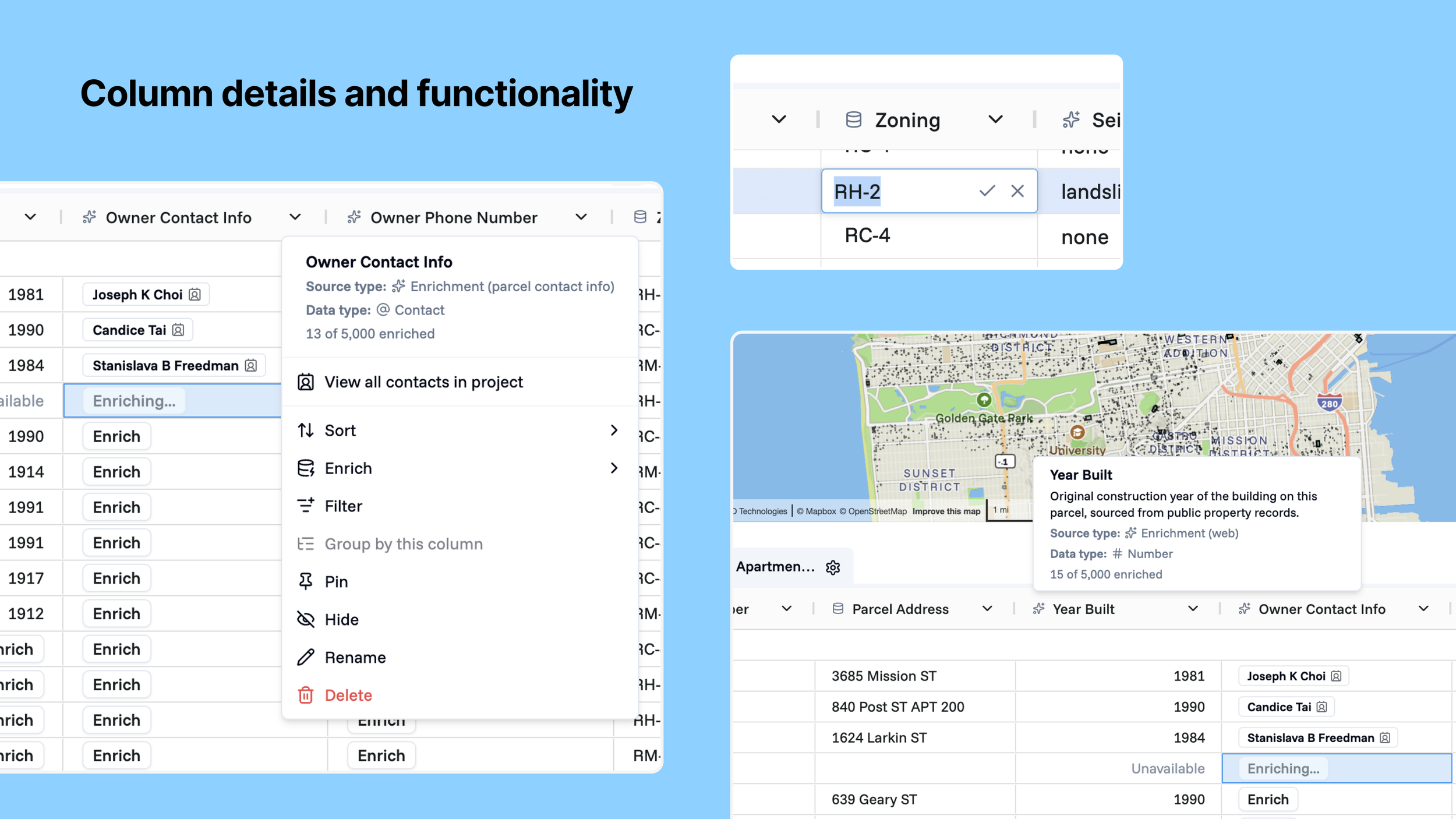
User problems: When a user is working through their data in the table, they need to efficiently scan, interpret, or act on it (looks too much like a raw spreadsheet and it’s easy to lose context). When encountering incorrect enrichment data, I need to correct it so my dataset stays accurate. Users depend on data accuracy to make decisions, and they need to know where the data is coming from, what the agent did to get there, and the general shape of the data is.

Solutions: Data overviews in column headers, source tracing, ability to re-run the data, enrichment progress, agent reasoning, table UI improvements for ease of scanning, ability to edit fields, and favoriting of parcels/buildings/features/rows In short: Scanability, interactivity, and trust signals.
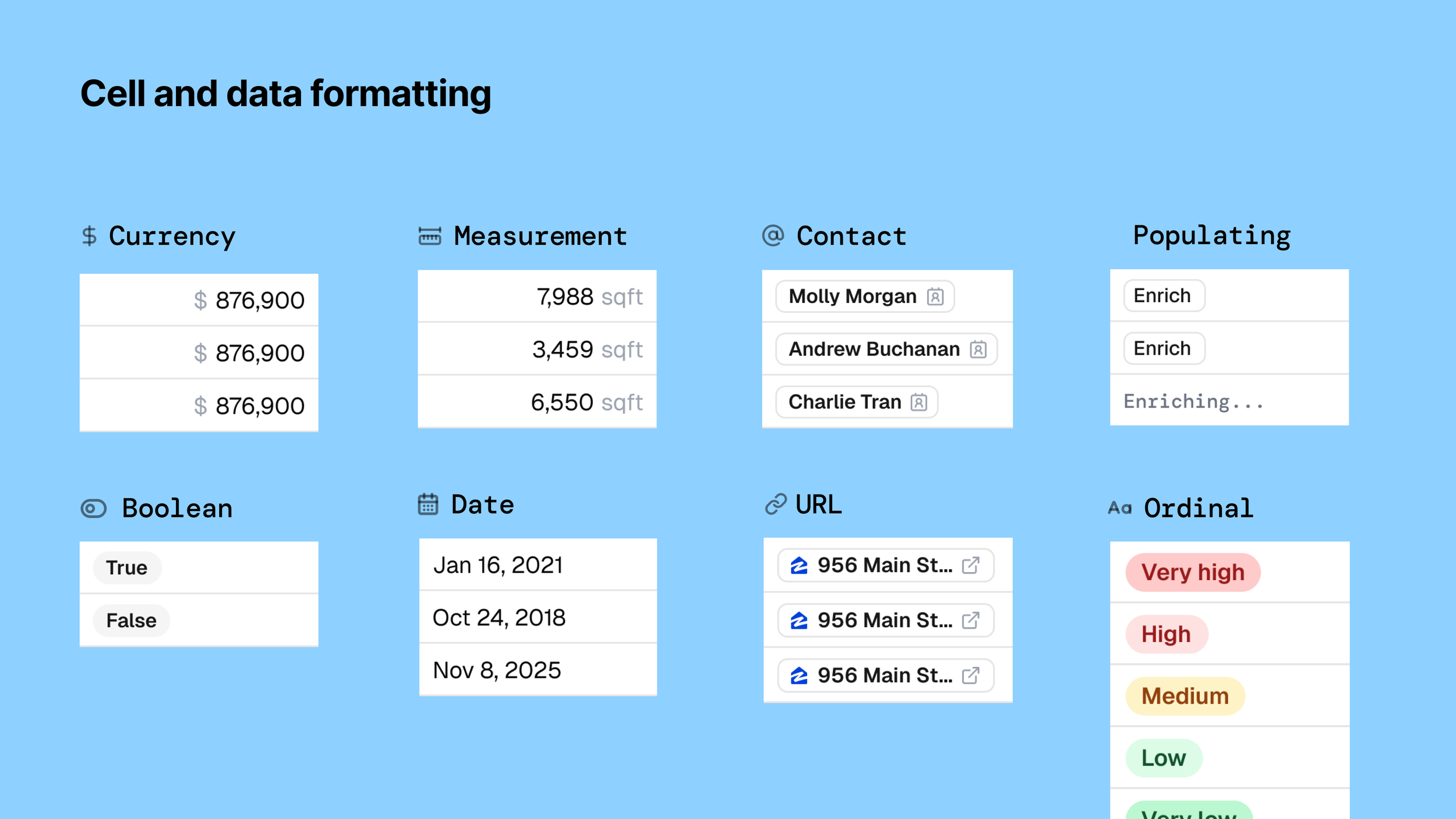
March 2026, Contentsquare (Releasing Summer 2026)

Top-level filtering

Lead designer

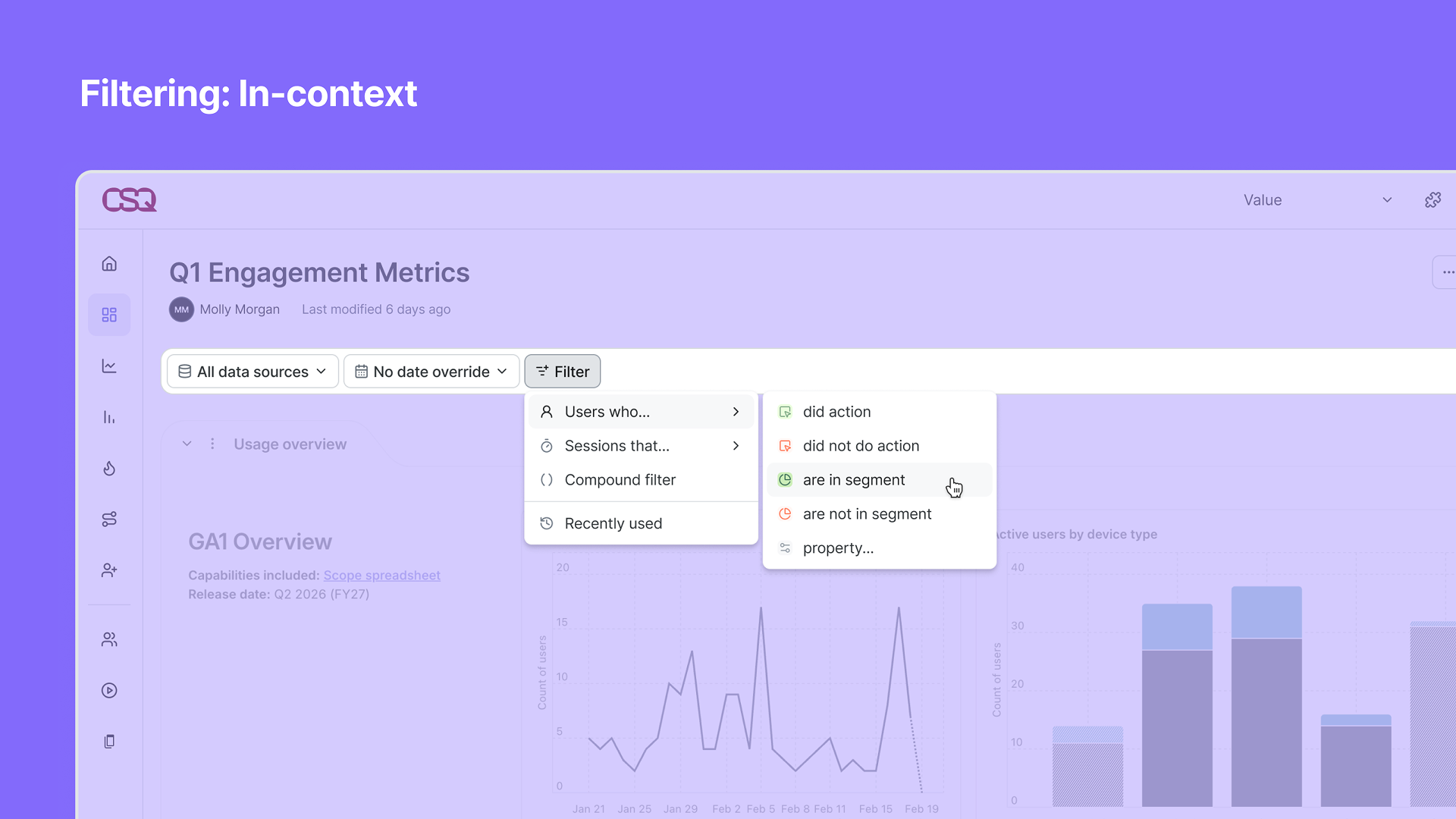
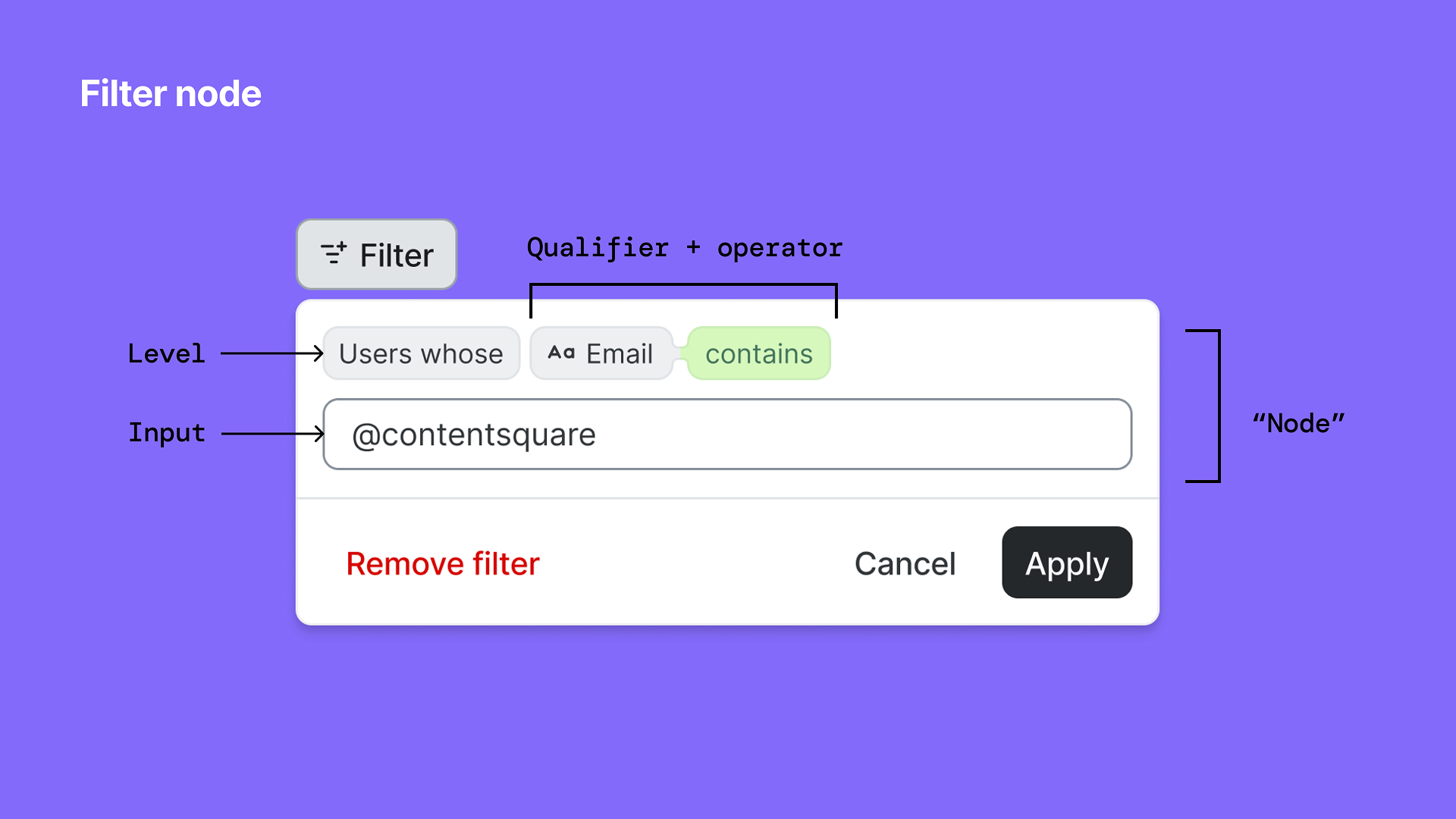
Led design for the UX approach and UI implementation of global filtering across a merged application. Key principles: Simple and advanced entry points, consistent experience across surfaces, flexible and responsive to the surface, additive instead of ever-present defaults, support intentional pivots rather than automatic persistence, task continuity so users can pick up where they left off, and guided capabilities that help users get to value faster through helper text, recents, suggested, and context. For both consumer and creator personas, and anyone in between. Goals: Expedite time-to-value across the platform, establish data clarity and trust, and support scaling from simple to complex use cases.
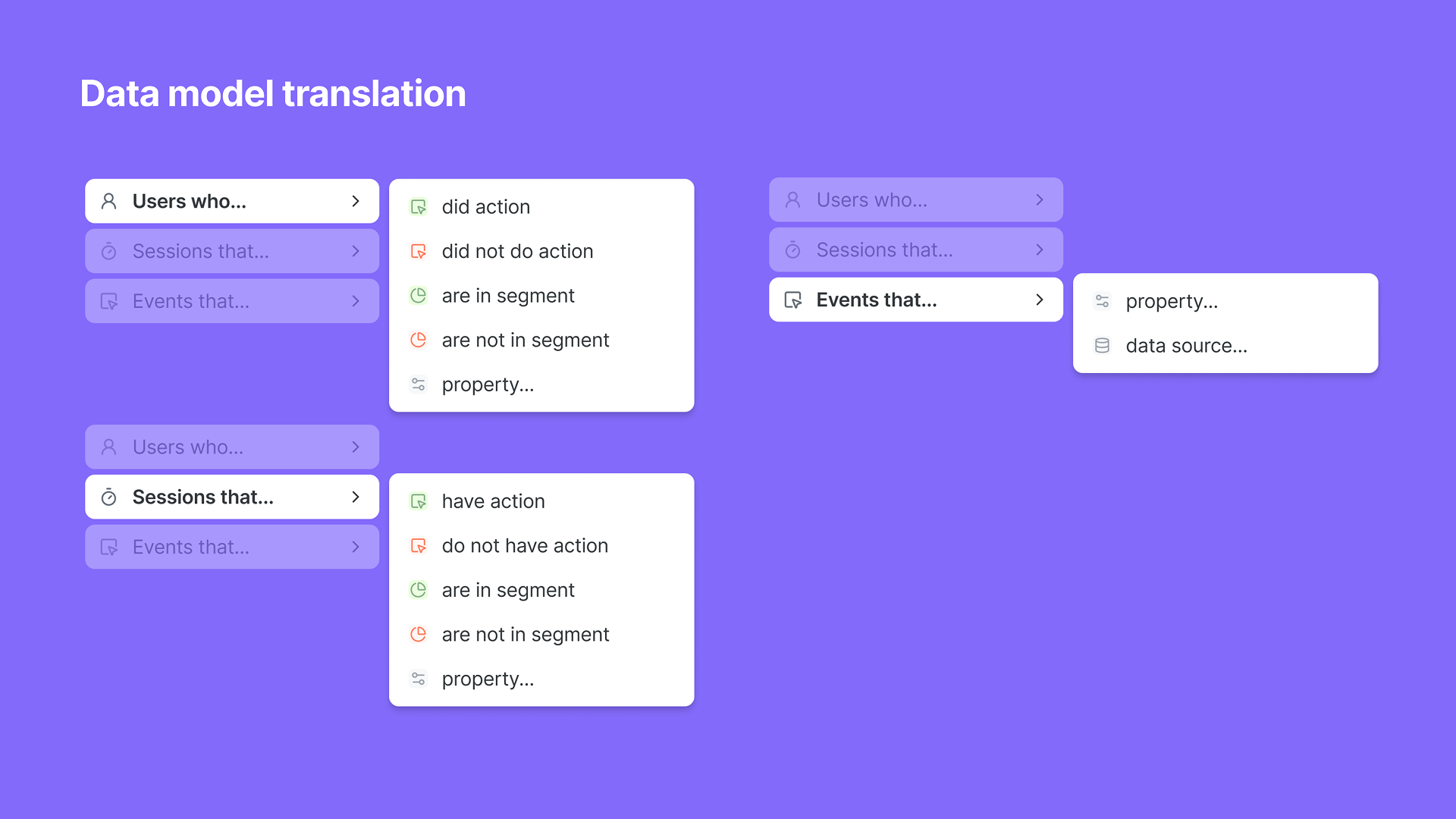
A digital flowchart titled 'Data model translation' on a purple background, showing nested nodes with labels 'Users who...', 'Sessions that...', and 'Events that...', each with options like 'did action', 'did not do action', 'are in segment', 'are not in segment', 'property...', and 'data source...'.
Diagram of a filter node interface with labels indicating filter level, input text box, filter condition, nodes quote, cancel, apply buttons, and explanation of components.
A screenshot of a data dashboard titled 'Q1 Engagement Metrics' with a filter menu open, showing options to filter users who are in a segment, with a cursor hovering over the option 'are in segment.'
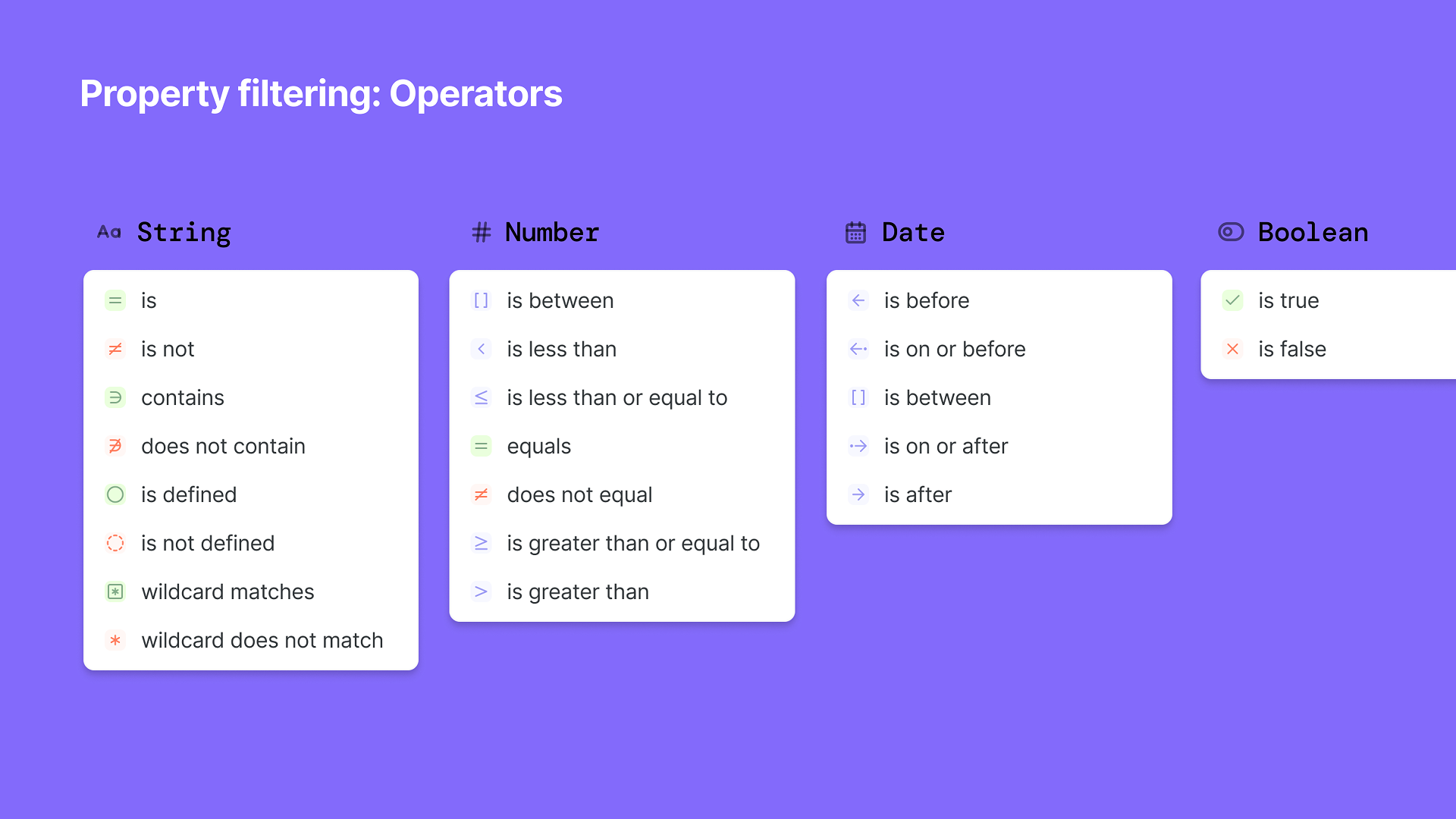
A light purple educational infographic titled "Property filtering: Operators" showing various operator categories: String, Number, Date, and Boolean. Each category lists related operators with color-coded icons and descriptions.
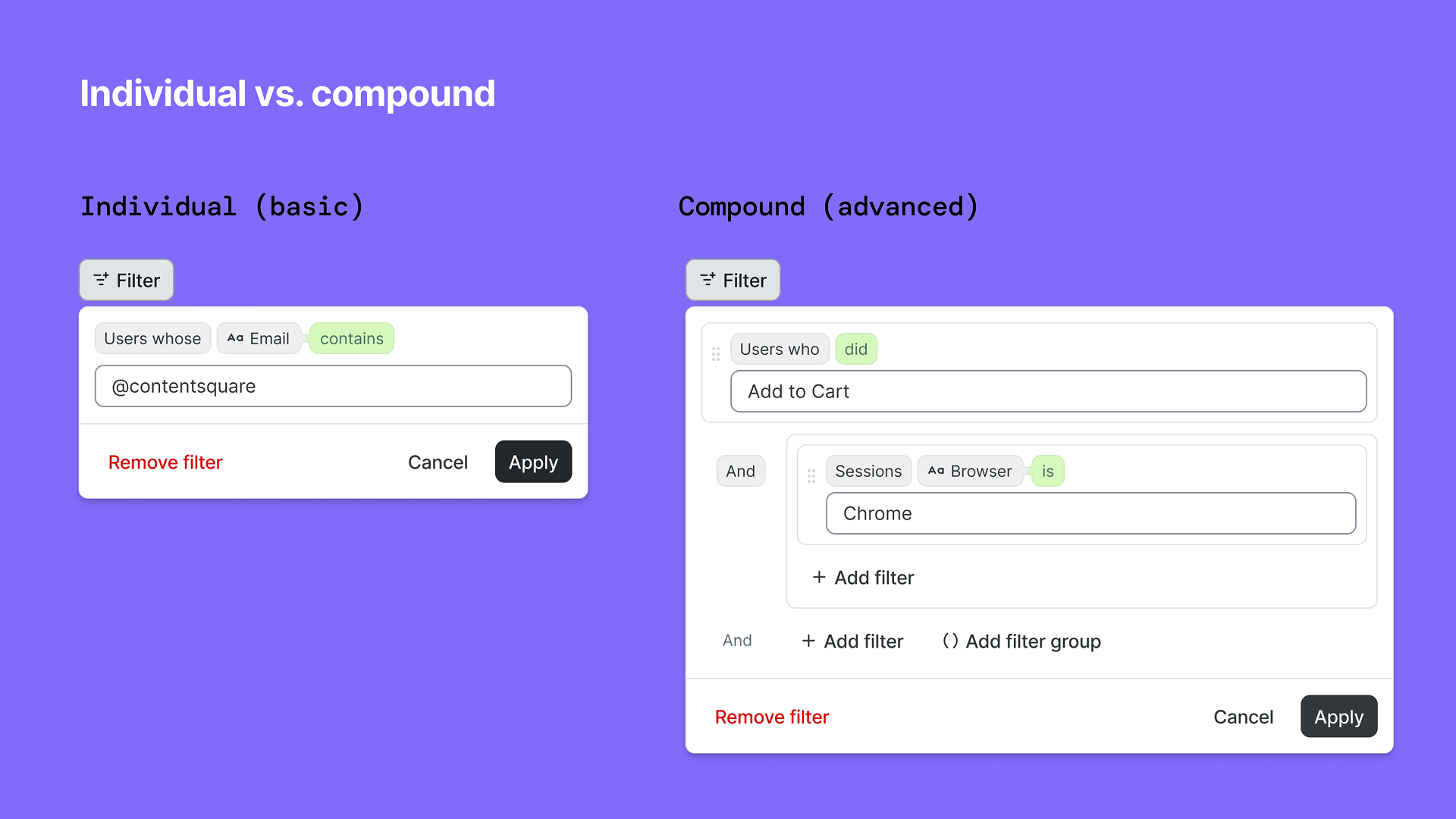
Comparison of individual and compound filters in a user interface, showing filter options and applied criteria on a purple background.
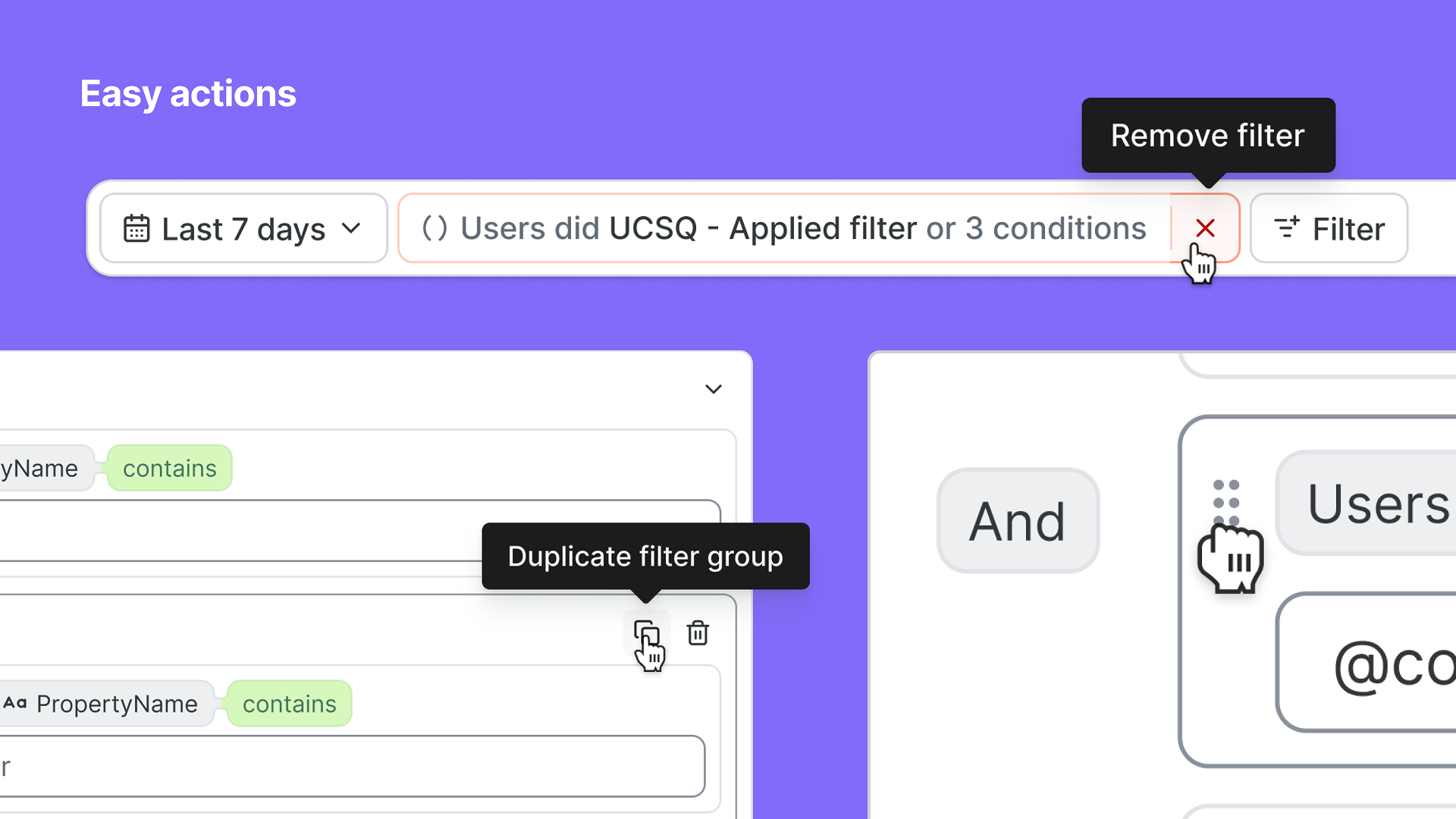
Screenshot of a user interface for filtering data with labels such as 'Easy actions', a filter applied for the last 7 days, and options to remove or duplicate filter groups, with icons representing these actions.

March 2026, Contentsquare (Releasing Summer 2026)

Querying and Chart system

Co-design lead

Introduced querying and charting to Contentsquare, merged the data models and capabilities of two platforms (Contentsquare, Heap) in a single experience to give users a complete view of their customer’s lifecycles: across web and mobile, and across different applications and sites. This translated the metrics model (below) into a user experience that can scale to support any kind of quantitative analysis within the product. Key principles: Charts are unified under one, flexible experience; Metrics determine the Chart type; Respect the nested nature of the data model in the UX; Charts are a core, portable object throughout the platform; Underlying structure and resulting visualization are important for future-proofing and use in AI-powered workflows.
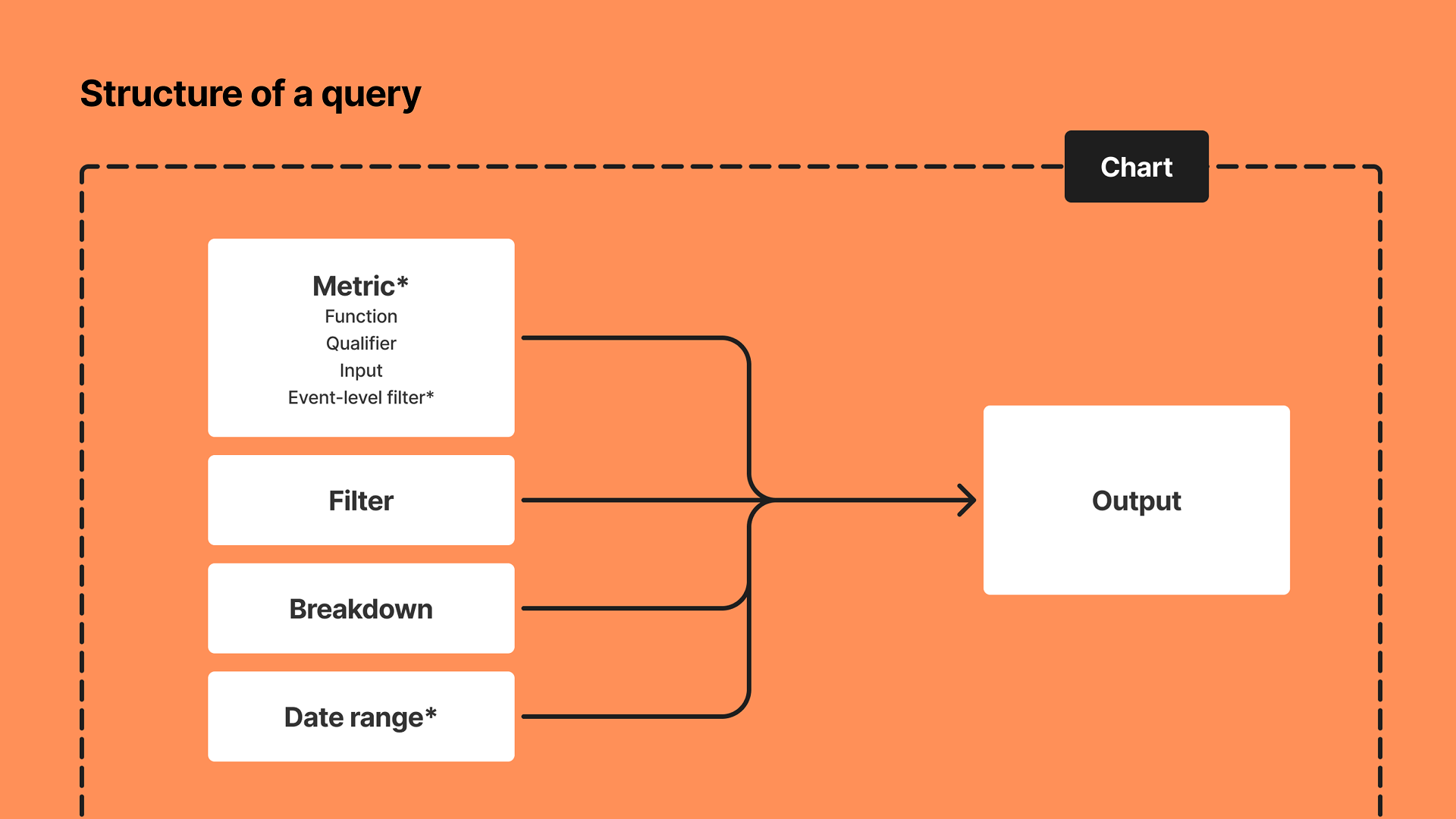
A flowchart illustrating the structure of a query on an orange background. It shows four components: Metric with sub-items (Function, Qualifier, Input, Event-level filter), Filter, Breakdown, and Date range, which connect through arrows to an Output box. There is a dashed line enclosing all elements and a black rectangle labeled Chart near the top right.
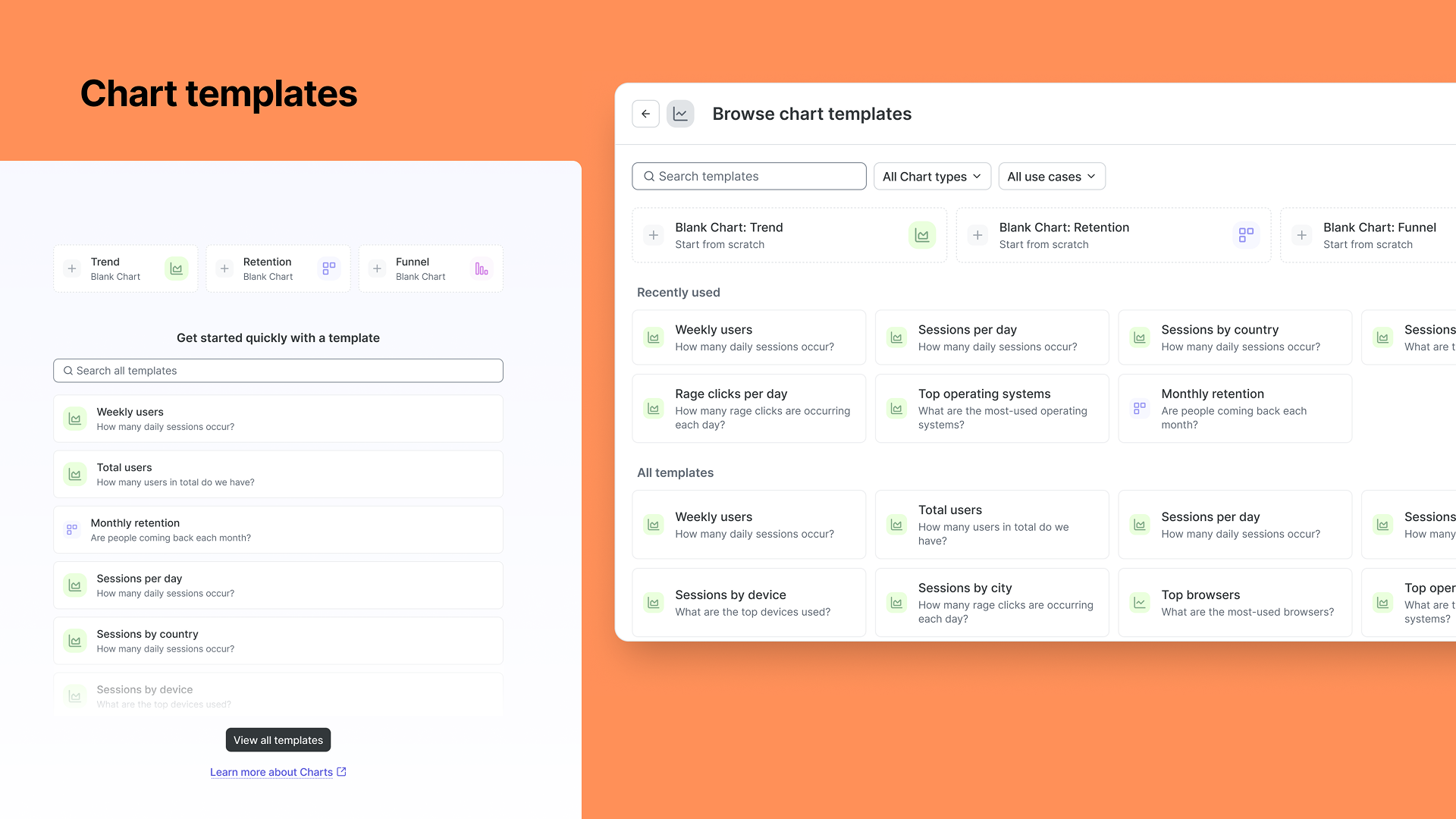
Screenshot of a web page displaying a chart template selection interface. It shows options for blank charts including trend, retention, and funnel. There are sections labeled 'Recently used' and 'All templates' with various chart options like weekly users, total users, sessions per day, sessions by country, sessions by device, and more, each accompanied by icons and descriptions.
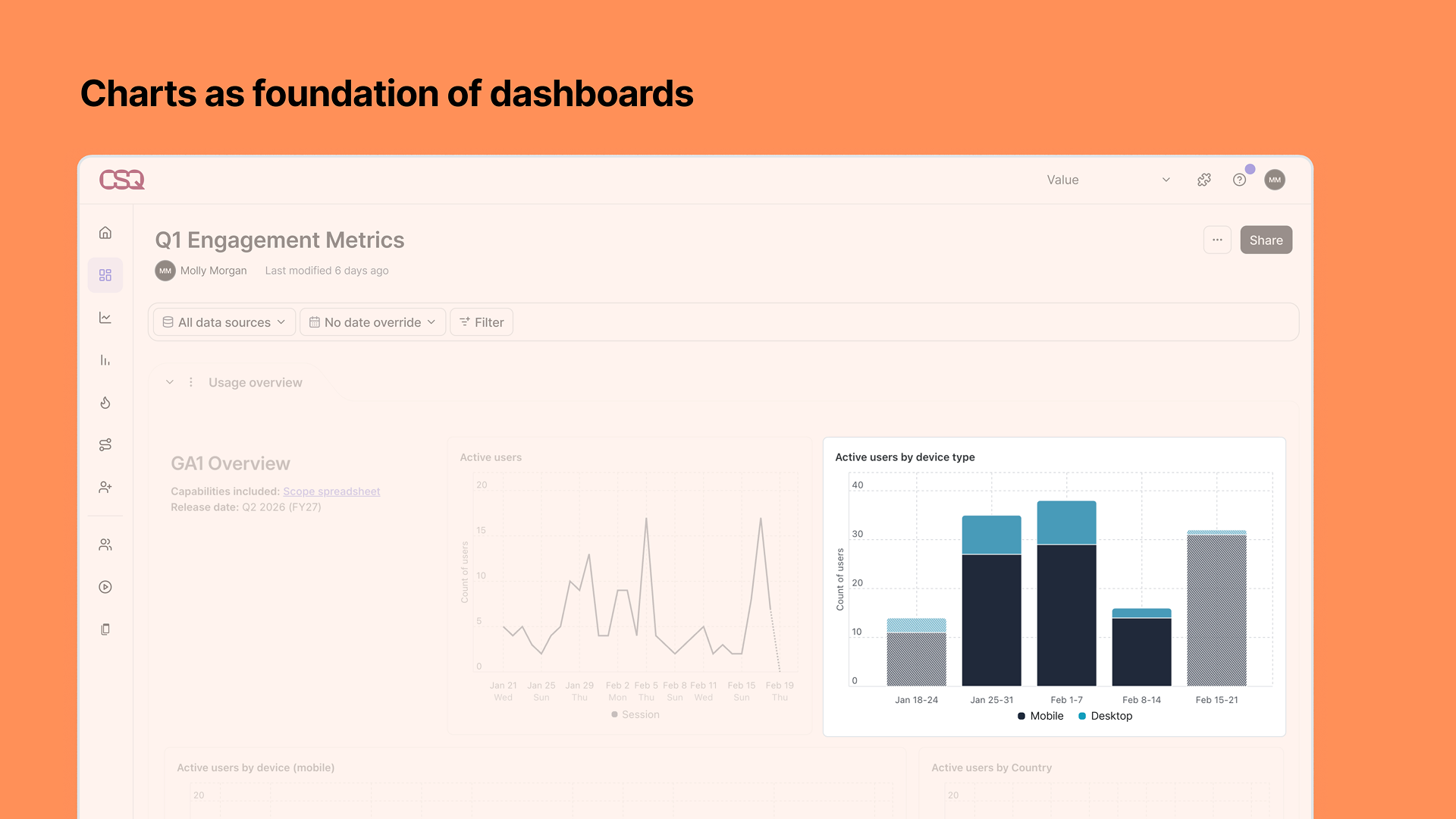
Screenshot of a analytics dashboard with a title "Q1 Engagement Metrics" and various charts showing data trends, with a sidebar menu on the left and a share button on the top right.
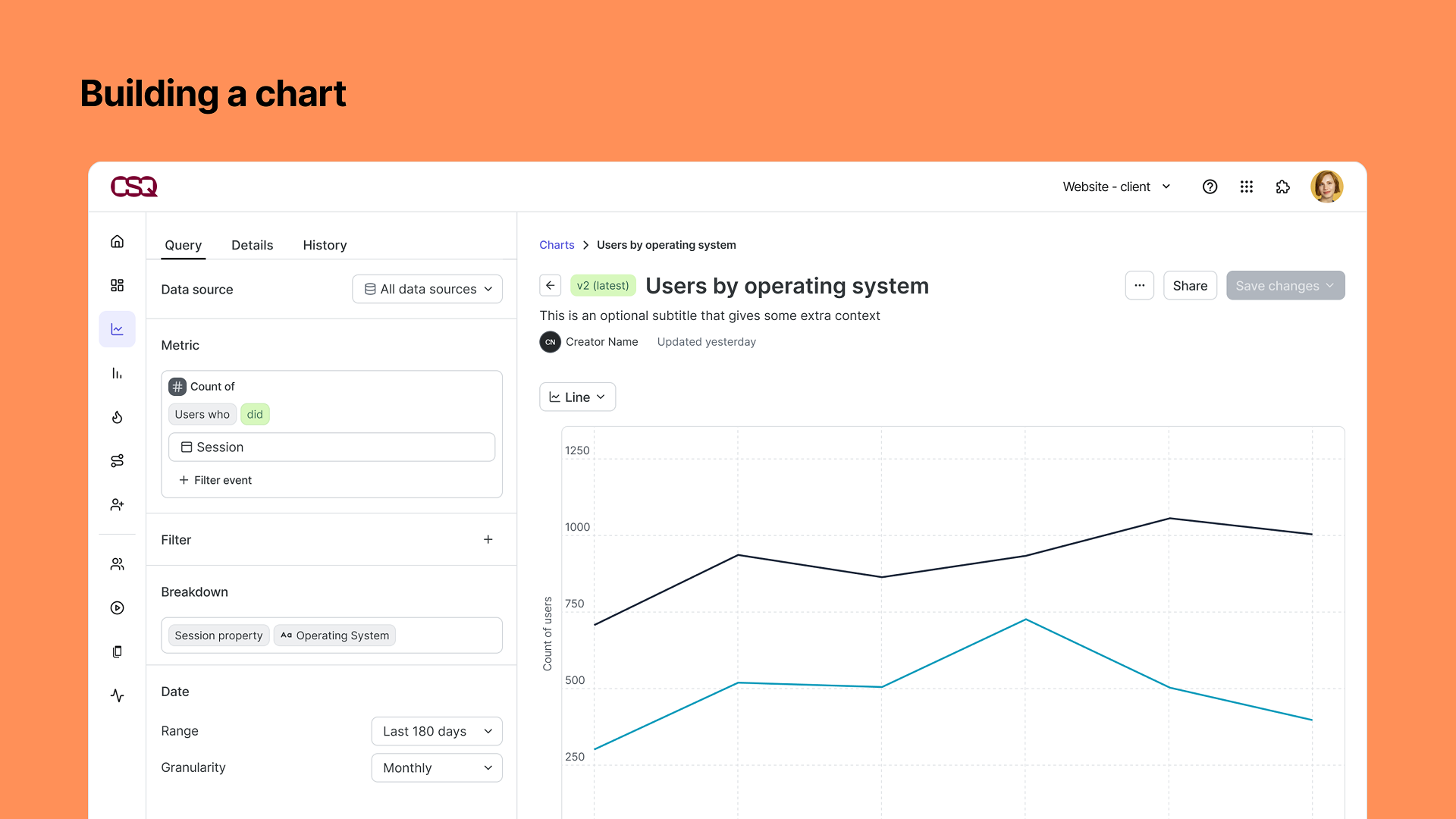
Screenshot of a data visualization tool showing a line chart titled 'Users by Operating System' with black, gray, and blue lines representing user counts across different operating systems. The interface includes options for data source, metric, filter, and date range on the left panel, and a user profile icon in the top right corner.
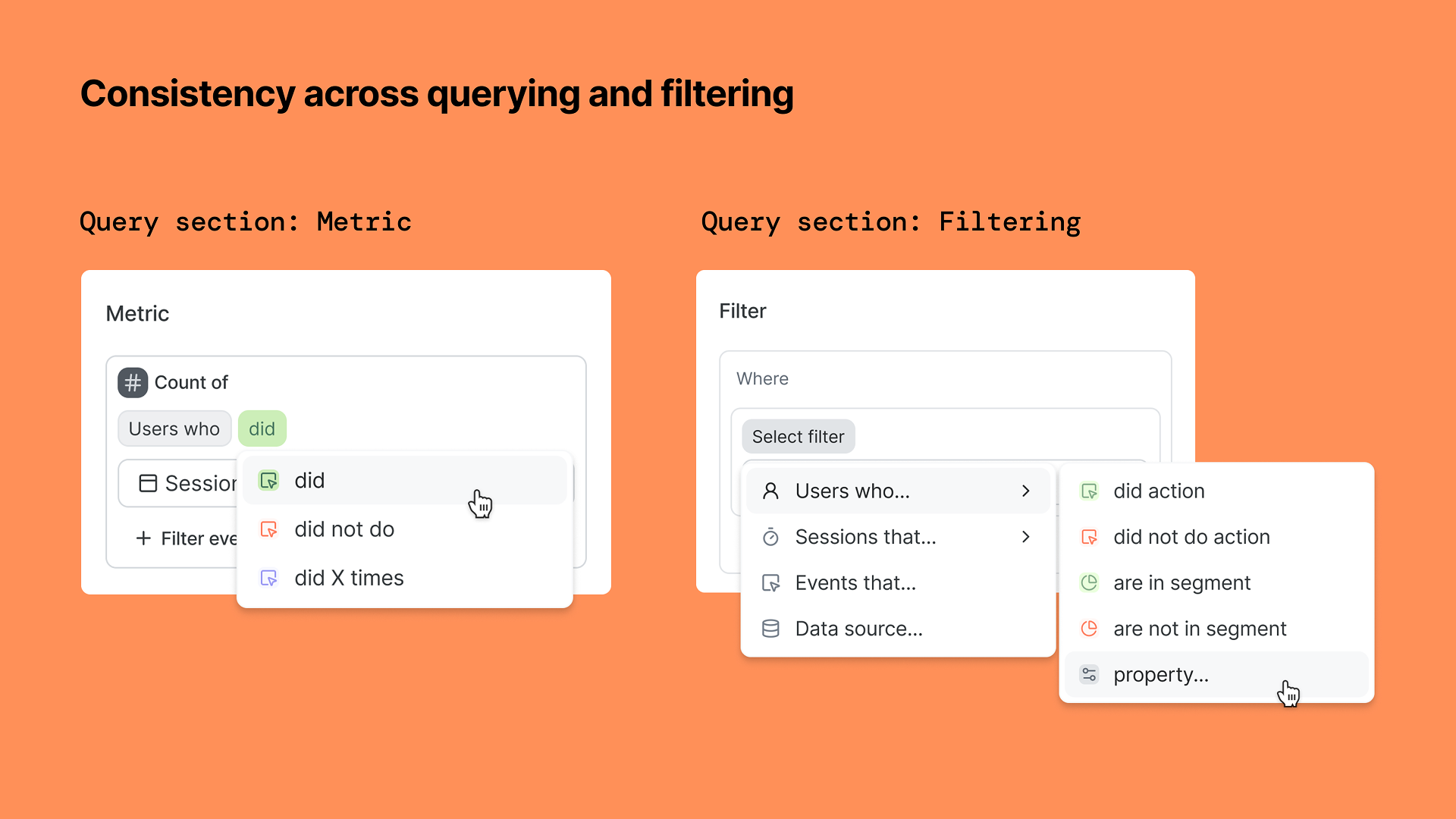
A presentation slide showing two sections on querying and filtering. The left section is titled 'Query section: Metric' and displays a metric filter for counting users who did a certain action. The right section is titled 'Query section: Filtering' and shows a filter menu with options for selecting filters for users, sessions, events, data sources, and properties, with some options highlighted and a cursor pointing to a property option.
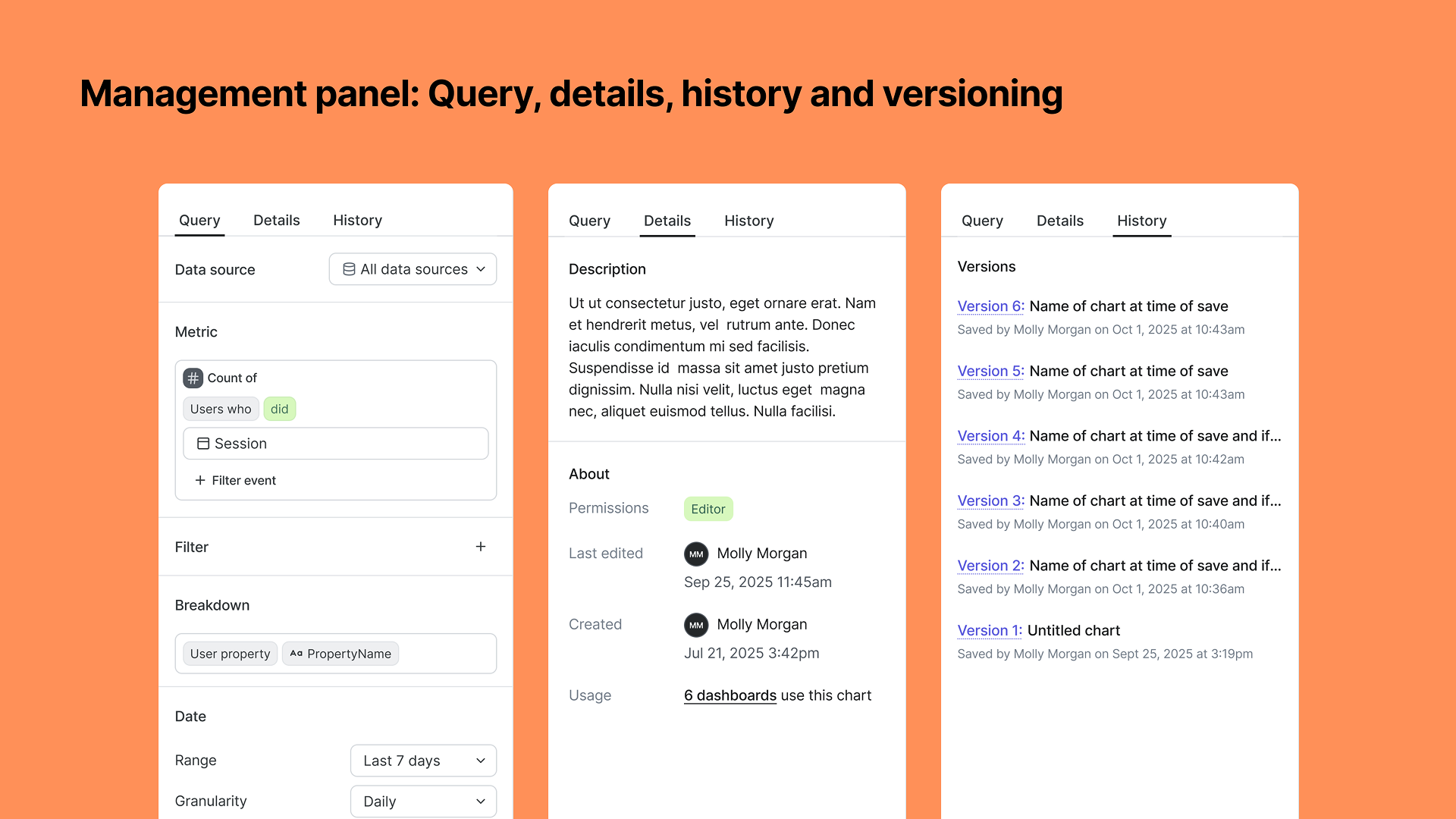
Screenshot of a management panel interface with three tabs labeled Query, Details, and History. The panel displays options for data source, metrics, filters, breakdowns, date range, and version history.

August 2025, Contentsquare (Releasing Summer 2026)

Unified platform experience

Co-design lead

Together with a fellow staff designer led the experience for a new approach to analysis in a unified platform. This approach was a paradigm shift in the way Contentsquare had approached analysis, moving away from bespoke singular-purpose-built modules towards flexible, object-based analysis. Together we worked on translating the data model into a metrics model, how existing capabilities could map to a more connected system of data objects and analysis objects, and how a we could bridge together capabilities (not features) of multiple separate platforms. This influenced direction and scope of our company’s year-long initiative (launching summer 2026). Key principles: Portability of data objects and analysis objects; ability to pivot around any data level (users, sessions, pages, events) or data point; Move towards slimmed down set of “features” that are more robust and can handle varying types of use cases, rather than module-per-use-case; Give users context and clarity as they are consuming or analyzing, rather than trying to obscure complexity. Goal: An “end-to-end” vision of what a merged platform could, across near-, mid-, and longer-term milestones.
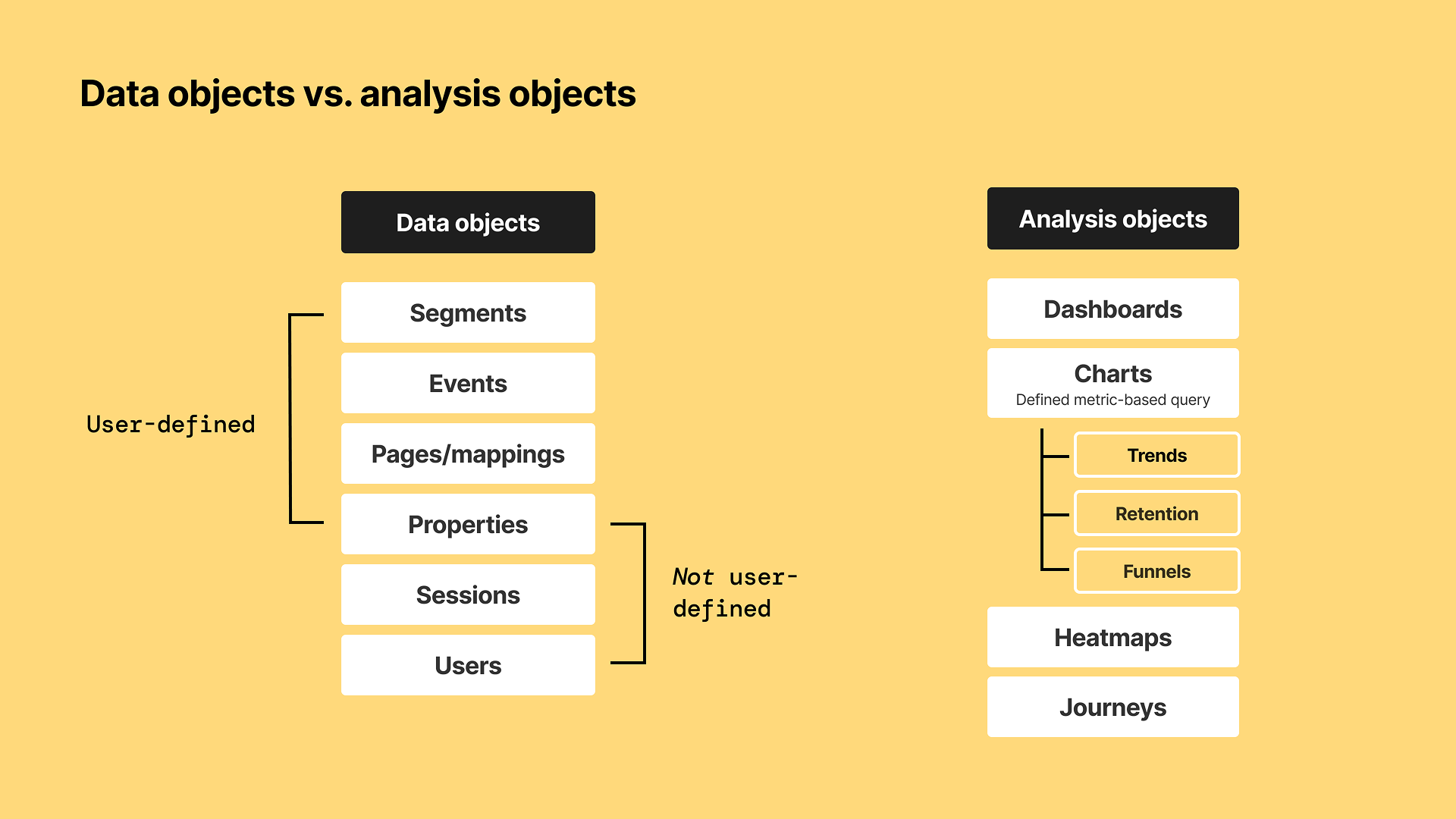
A diagram comparing data objects and analysis objects, with categories and subcategories. Data objects include Segments, Events, Pages/mappings, Properties, Sessions, and Users, with a note indicating that only some are user-defined. Analysis objects include Dashboards, Charts (defined as metric-based queries), and subcategories Trends, Retention, and Funnels, along with Heatmaps and Journeys. The background is yellow, and the text is in black and white.
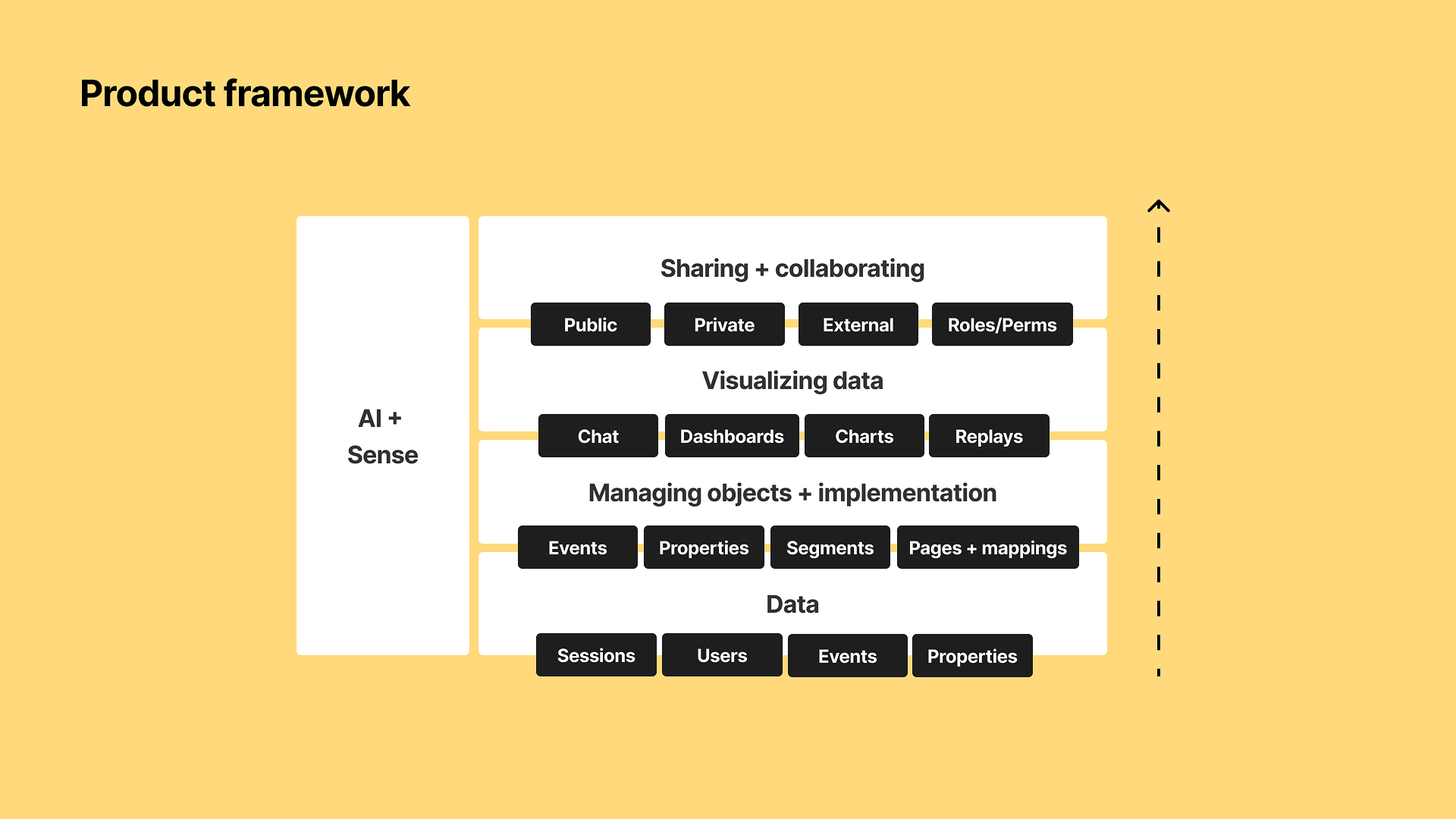
Diagram labeled 'Product framework' with sections for AI + Sense, sharing and collaborating, visualizing data, managing objects and implementation, and data, with black boxes listing related components on a yellow background.

April 2025, Contentsquare

Metrics model

Co-design lead

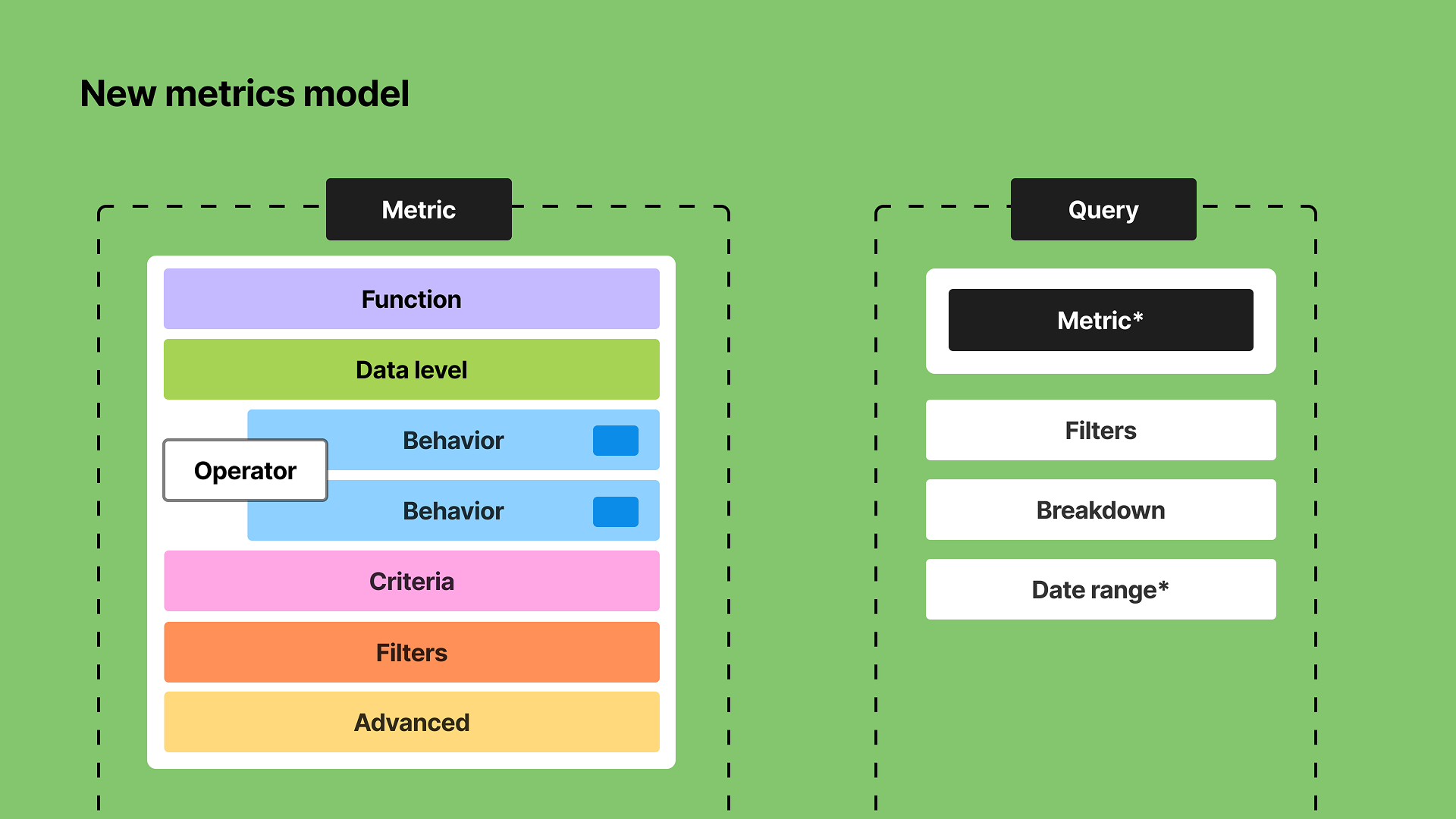
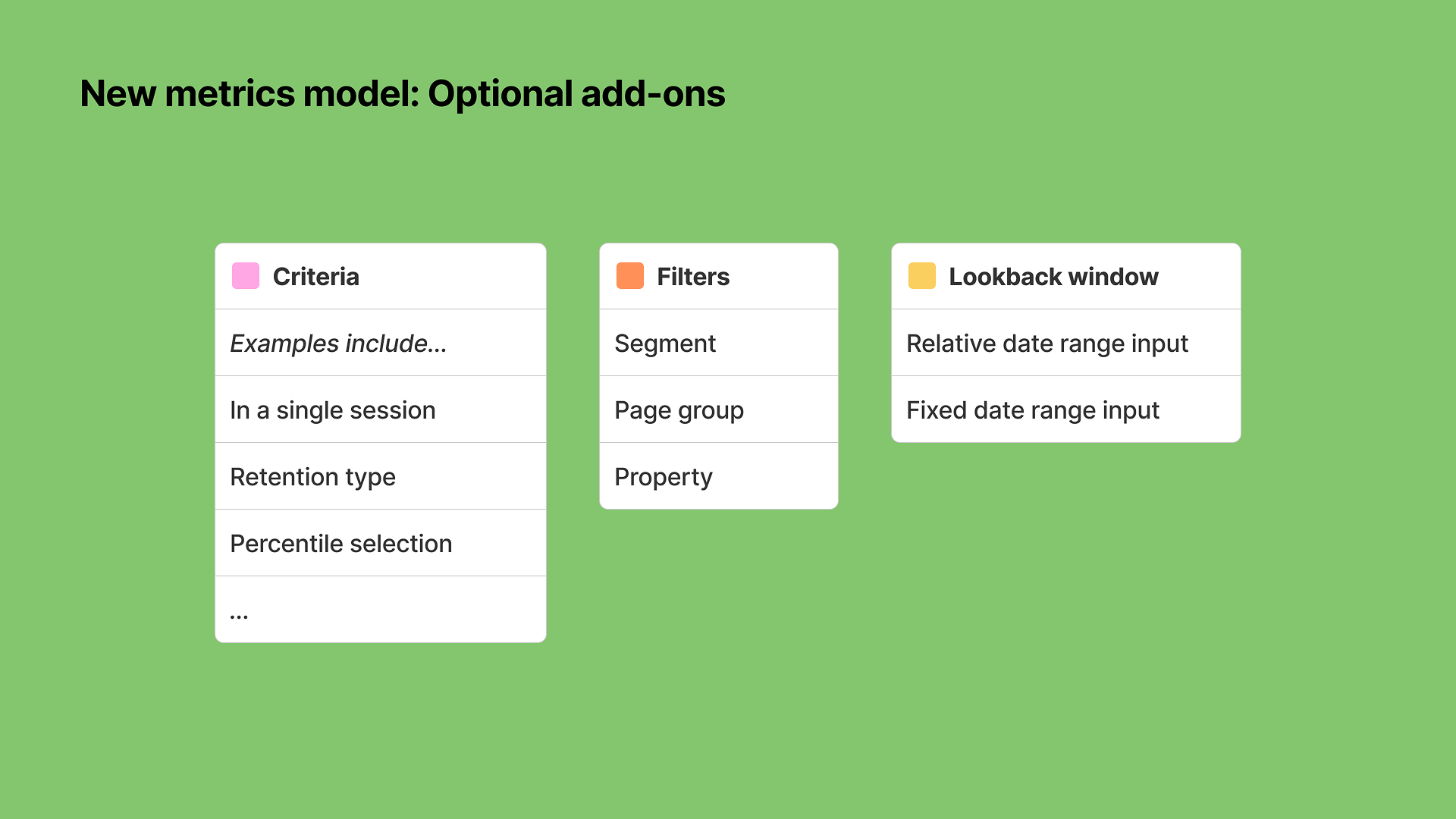
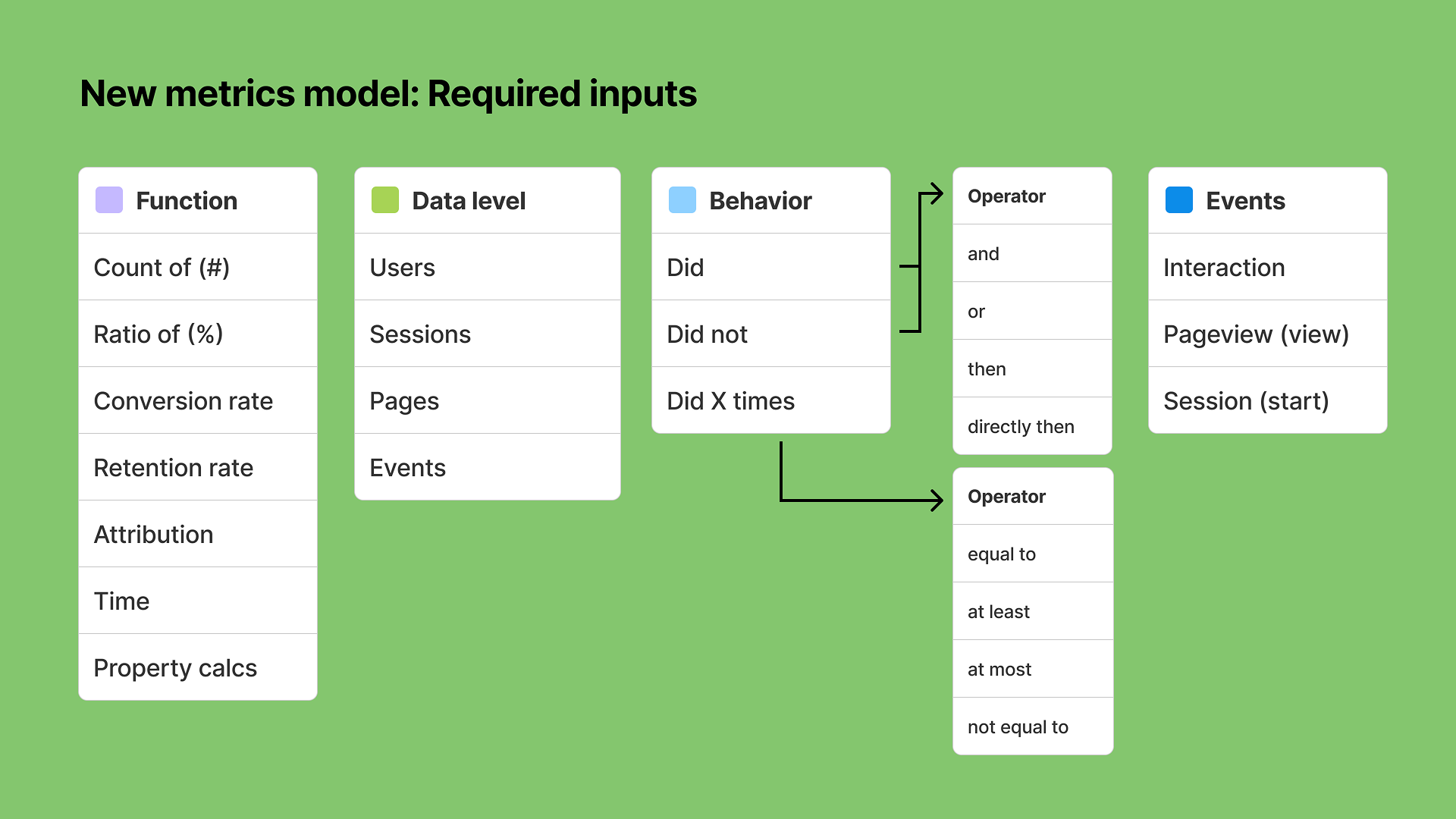
Created a model for metrics that serves as the basis of querying. Translates the underlying data model into a scalable pattern with strict (clear) definitions of the components of a metric. Key principles: Metrics should be “special” objects with a strict definition. Goal: Ensure we can map back the quantitative analysis capabilities from Heap, Contentsquare, and Hotjar to a metrics model and querying system.
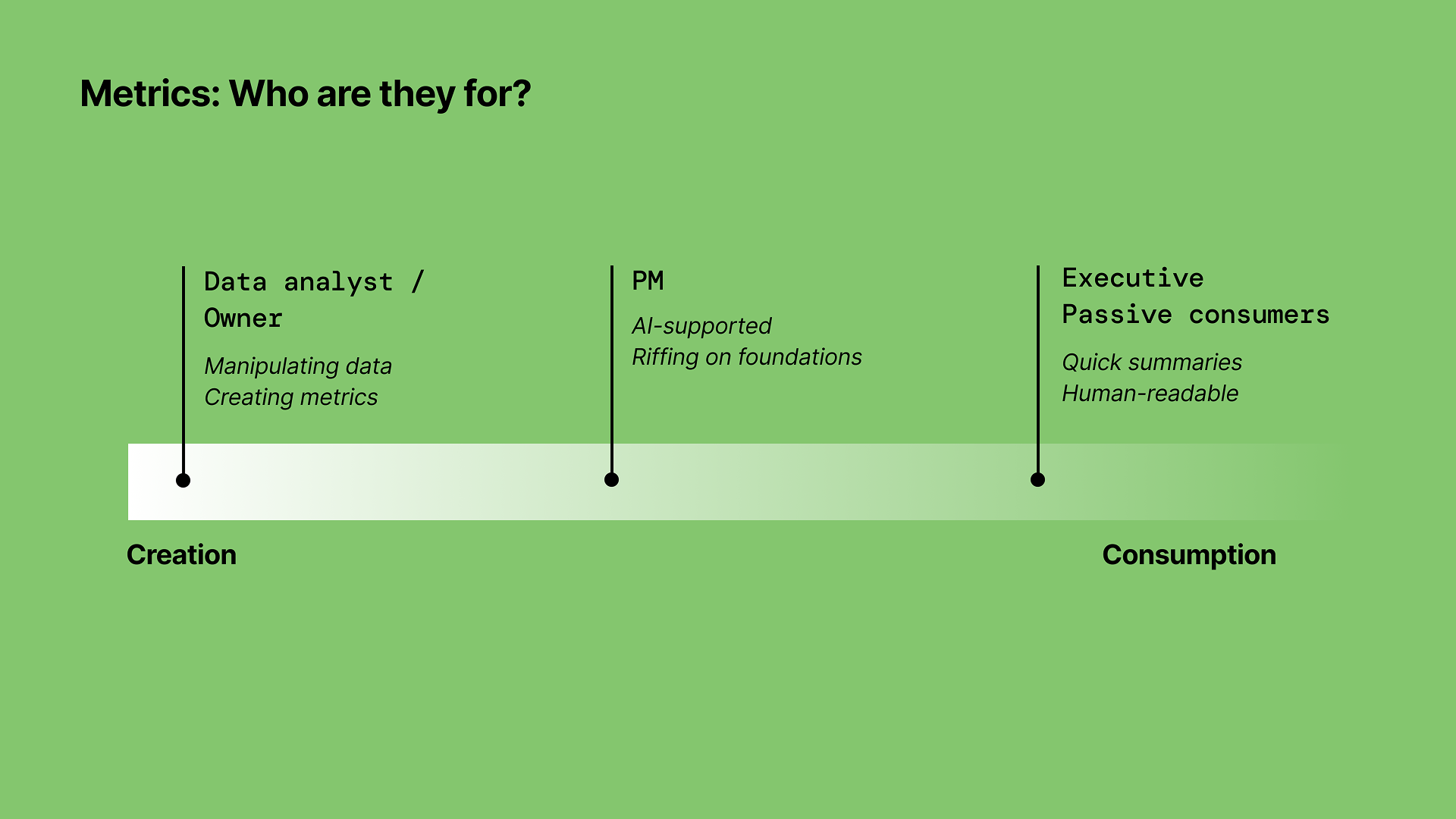
A green infographic with a timeline from creation to consumption, showing three roles: Data analyst/Owner, PM, and Executive Passive consumers, with descriptions of their responsibilities.
Flowchart explaining a new metrics model with sections for functions, data levels, behaviors, operators, and events, all set against a green background.
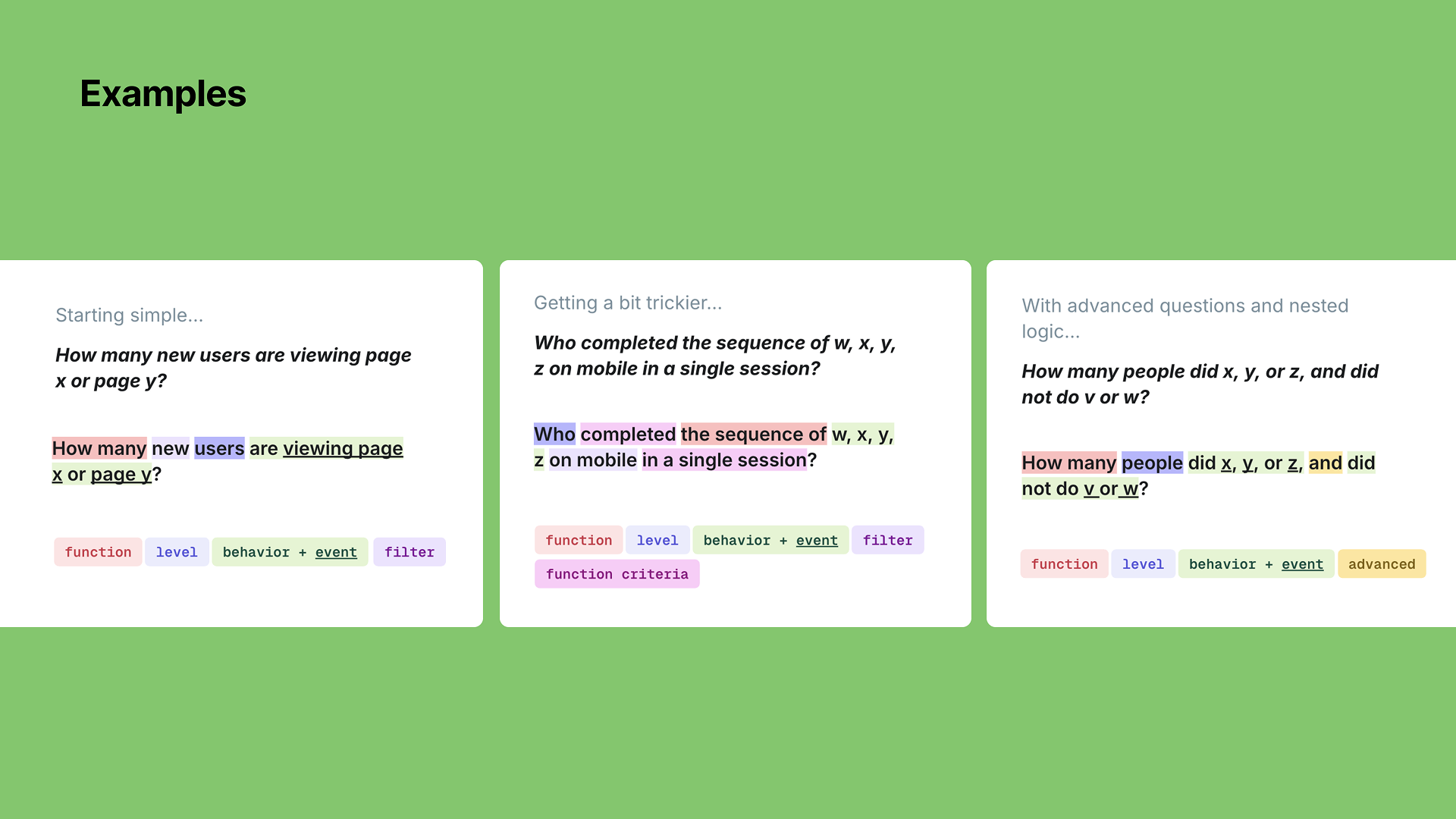
Three examples of text analysis with highlighted keywords and concepts, discussing user behavior, sequence completion, and nested logic related to viewing pages and user actions.
Diagram of a new metrics model showing sections for metric function, data level, behavior, criteria, filters, and advanced, and a query model with metric, filters, breakdown, and date range.
Slide titled 'New metrics model: Optional add-ons' with three white boxes on a green background. The first box labeled 'Criteria' with pink highlight, lists examples like 'In a single session' and 'Retention type'. The second box labeled 'Filters' with orange highlight, lists 'Segment', 'Page group', and 'Property'. The third box labeled 'Lookback window' with yellow highlight, lists 'Relative date range input' and 'Fixed date range input'.

January 2026, Contentsquare (Releasing Summer 2026)

New dashboard experience

Sole designer

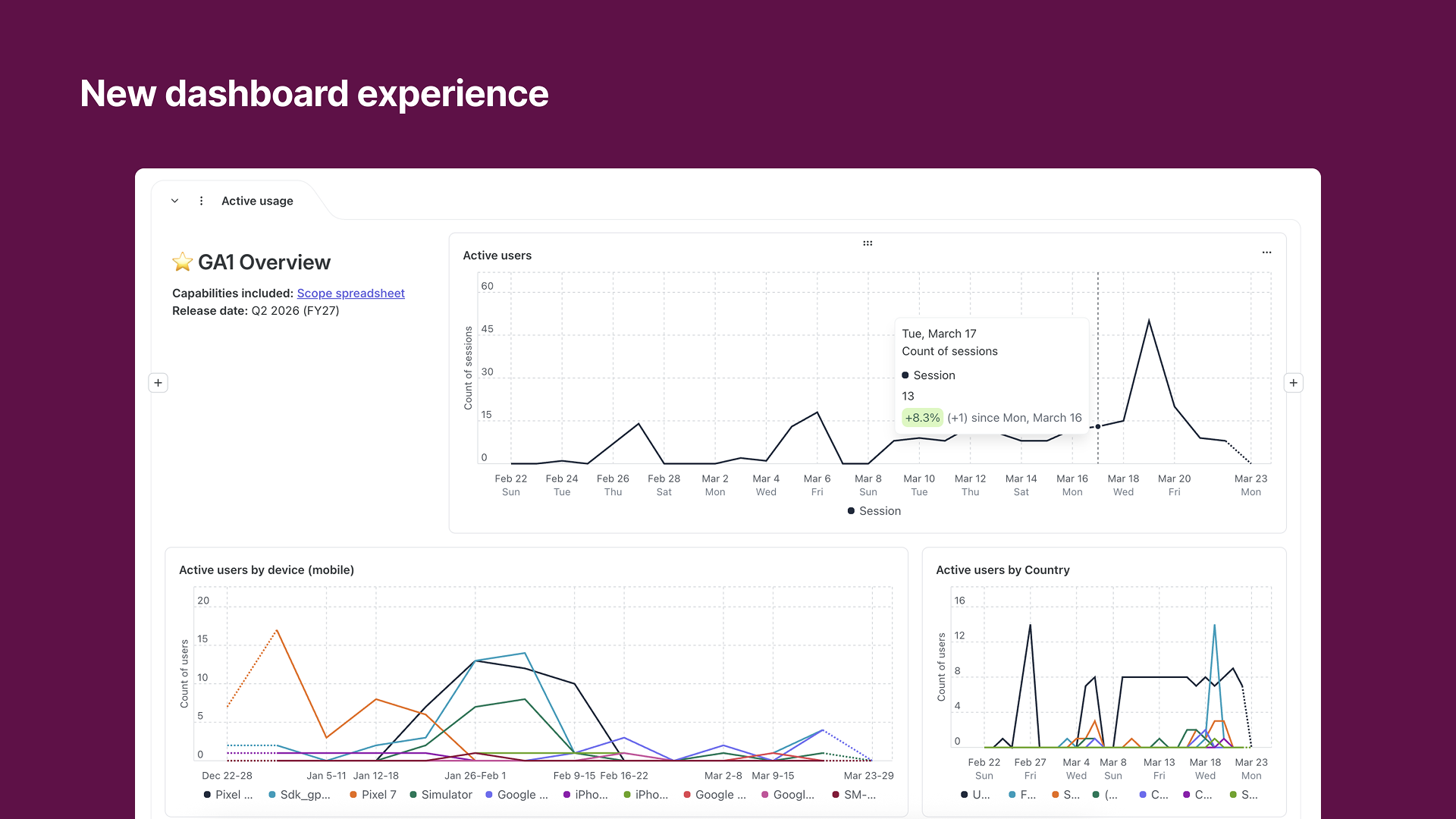
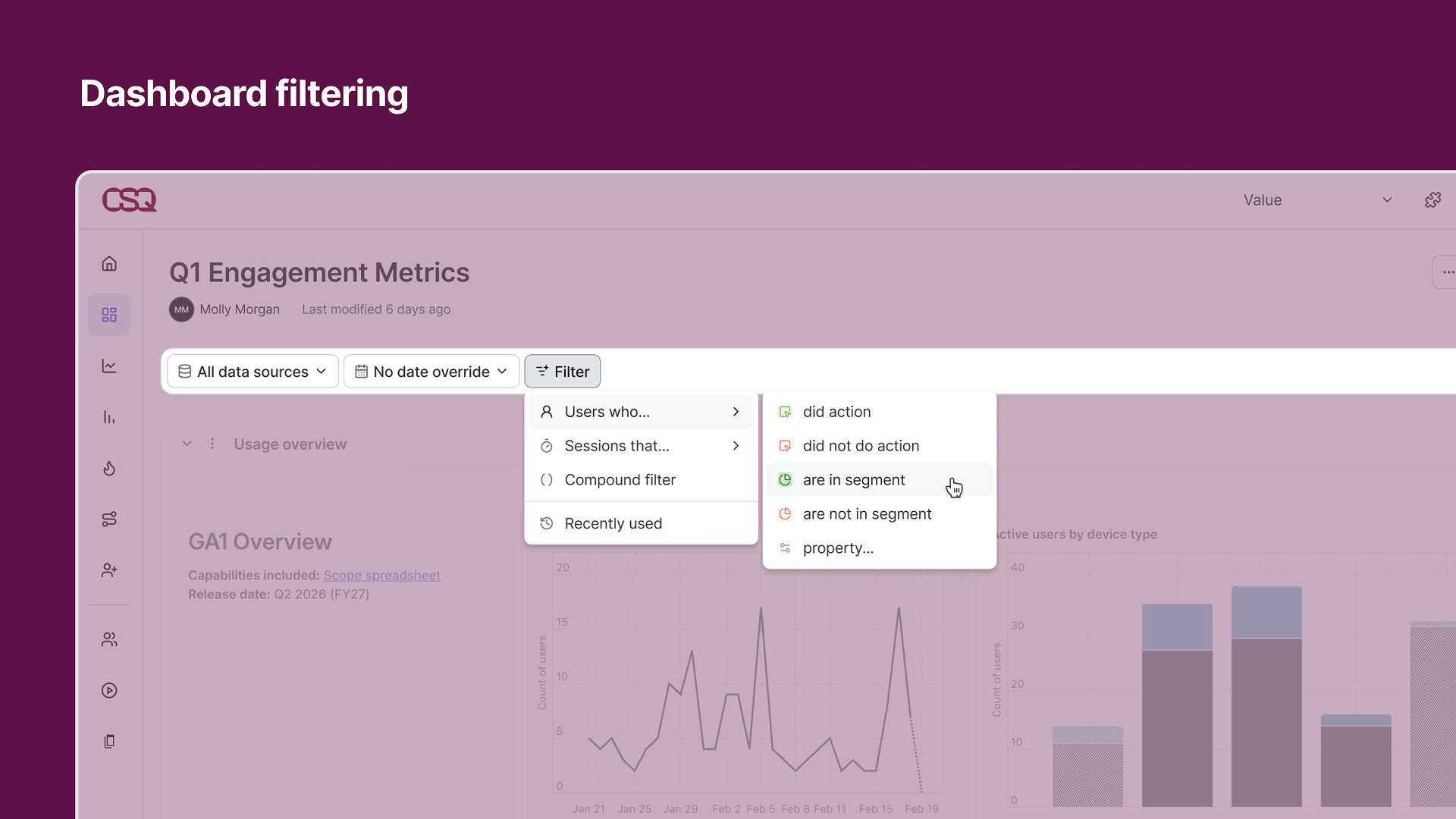
Designed a new dashboard experience from the grid system up, tying together metrics, querying, data visualization, and filtering. Key principles: Dashboards should be a launching point for further analysis; Users should be able to spend less time building dashboards and more time with the data; Shareable at every level; Easy landing place for newer users, consumer-only, or riffers; Allow for and provide context; and they should be trustworthy and transparent. These principles translated into the following capabilities and features: Chart-based so users can dig deeper into an analysis or use a single analysis on multiple boards; row-based dynamic grid that automatically handles your layout; shareable dashboard, section, and block links to directly share with colleagues; templates for dashboards, sections, and charts that also include text-block explanations; and more.
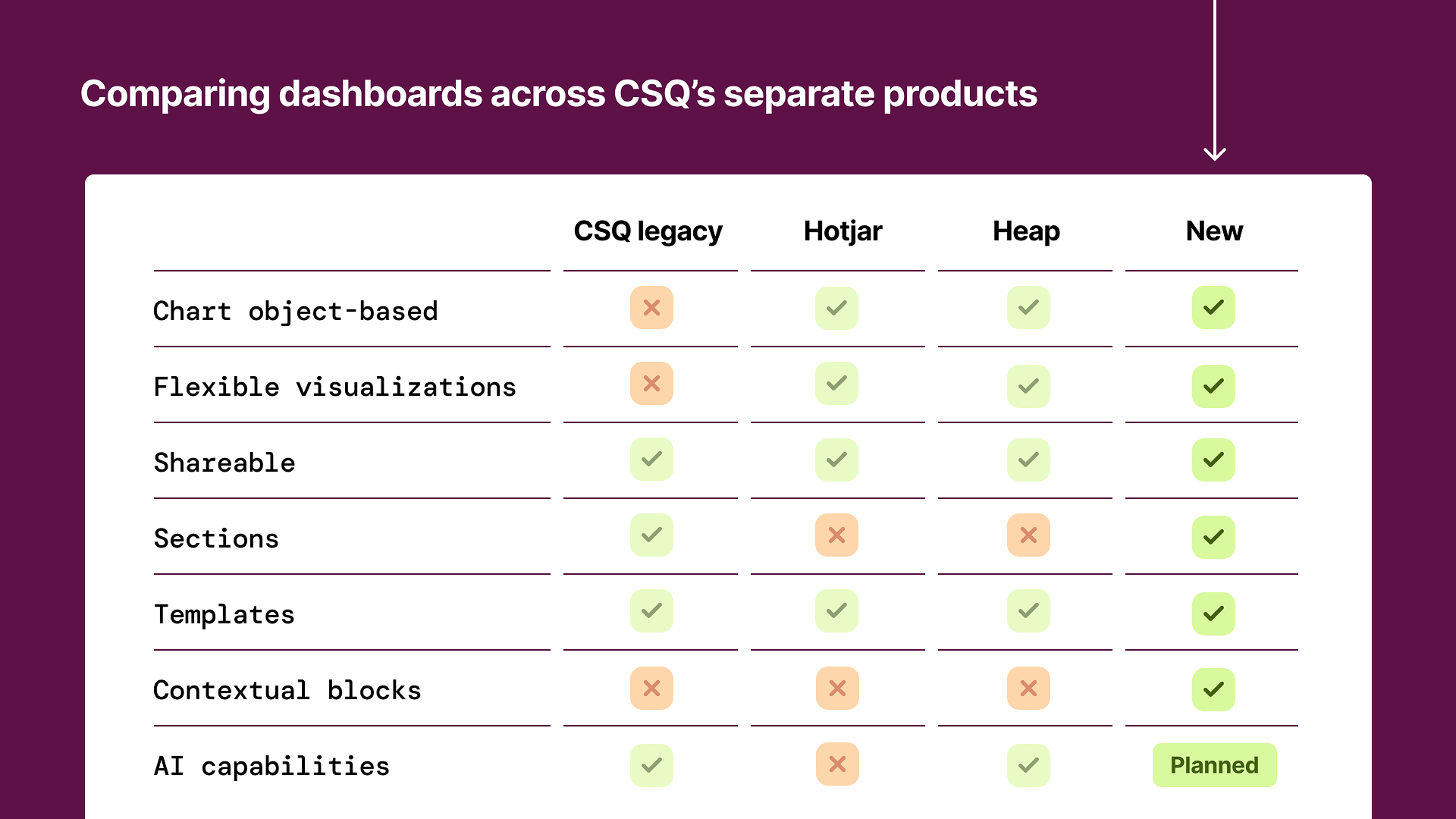
A comparison table of dashboards across CSQ's separate products, showing features like object-based charts, visualizations, shareability, sections, templates, contextual blocks, and AI capabilities for CSQ legacy, Hotjar, Heap, and New products.
A screenshot of a data dashboard titled 'Q1 Engagement Metrics.' The dashboard shows a user interface with filter options, a menu for selecting user segments, and a graph with a line chart and bar chart displaying engagement data over time. The menu includes options for filtering users who did or did not take action or are in a specific segment.
Screenshot of a digital dashboard titled 'New dashboard experience' with line graphs displaying data on active usage, active users by device, and active users by country.

November 2025, Contentsquare

Data visualization library

Sole designer

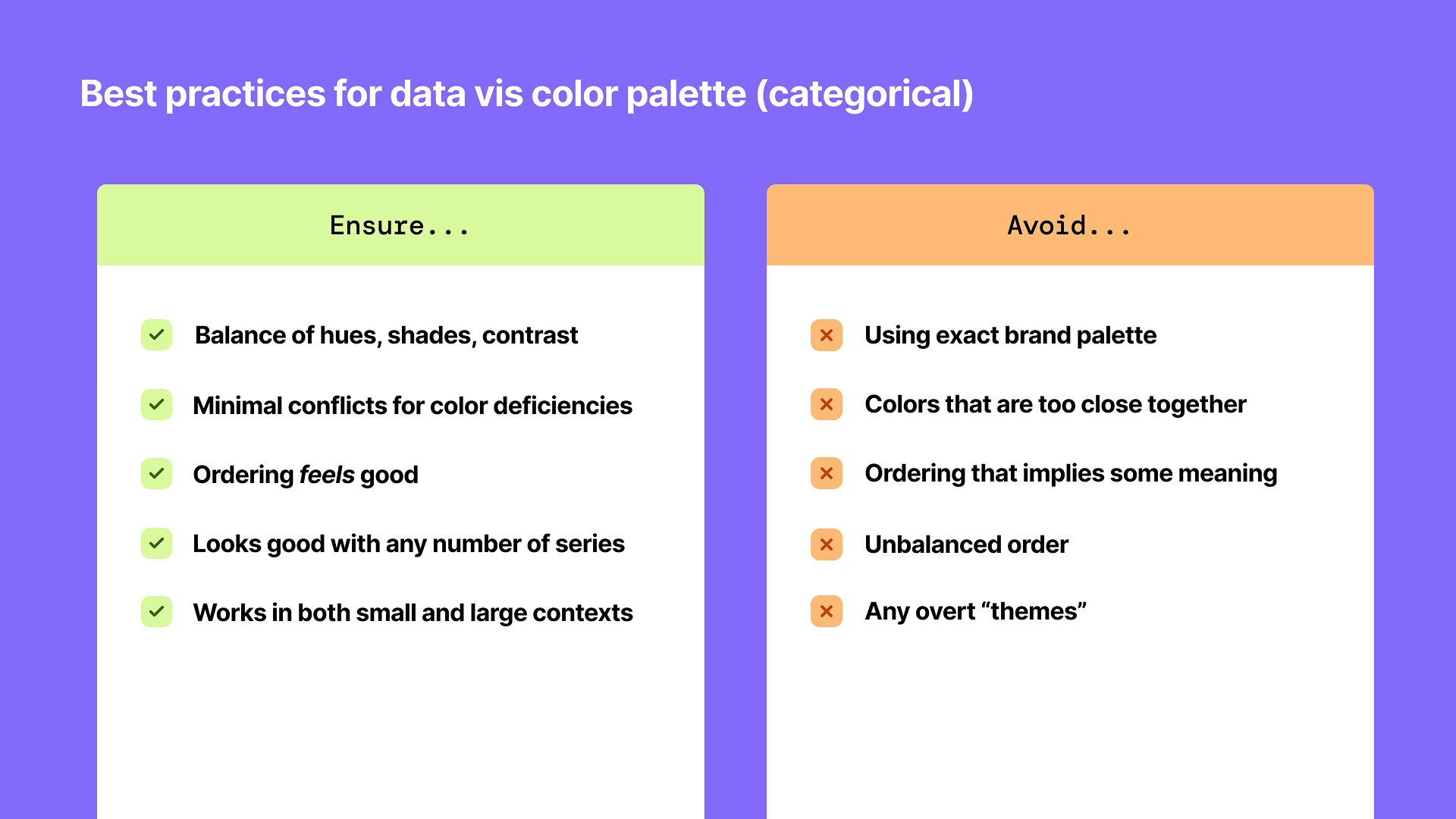
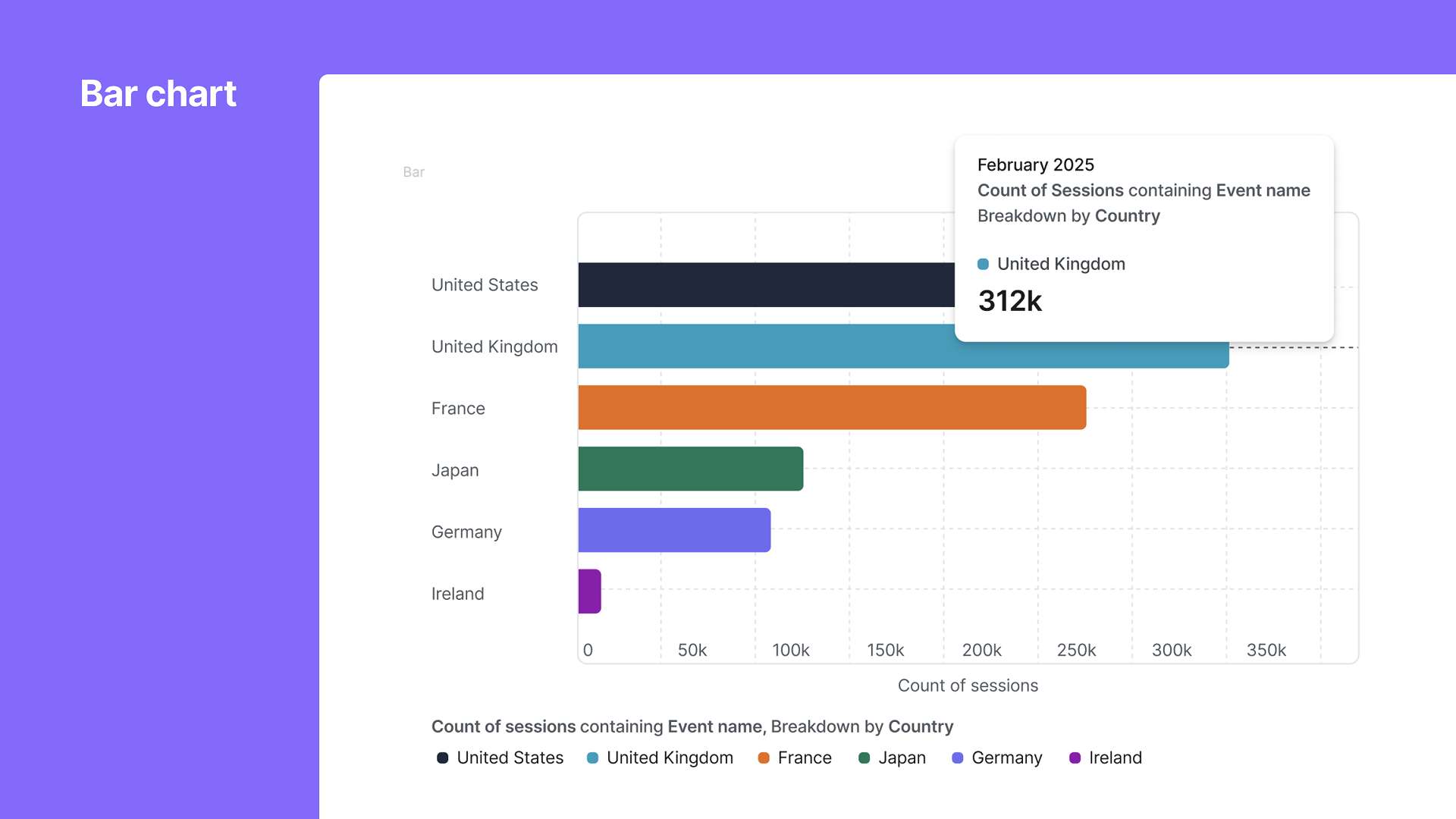
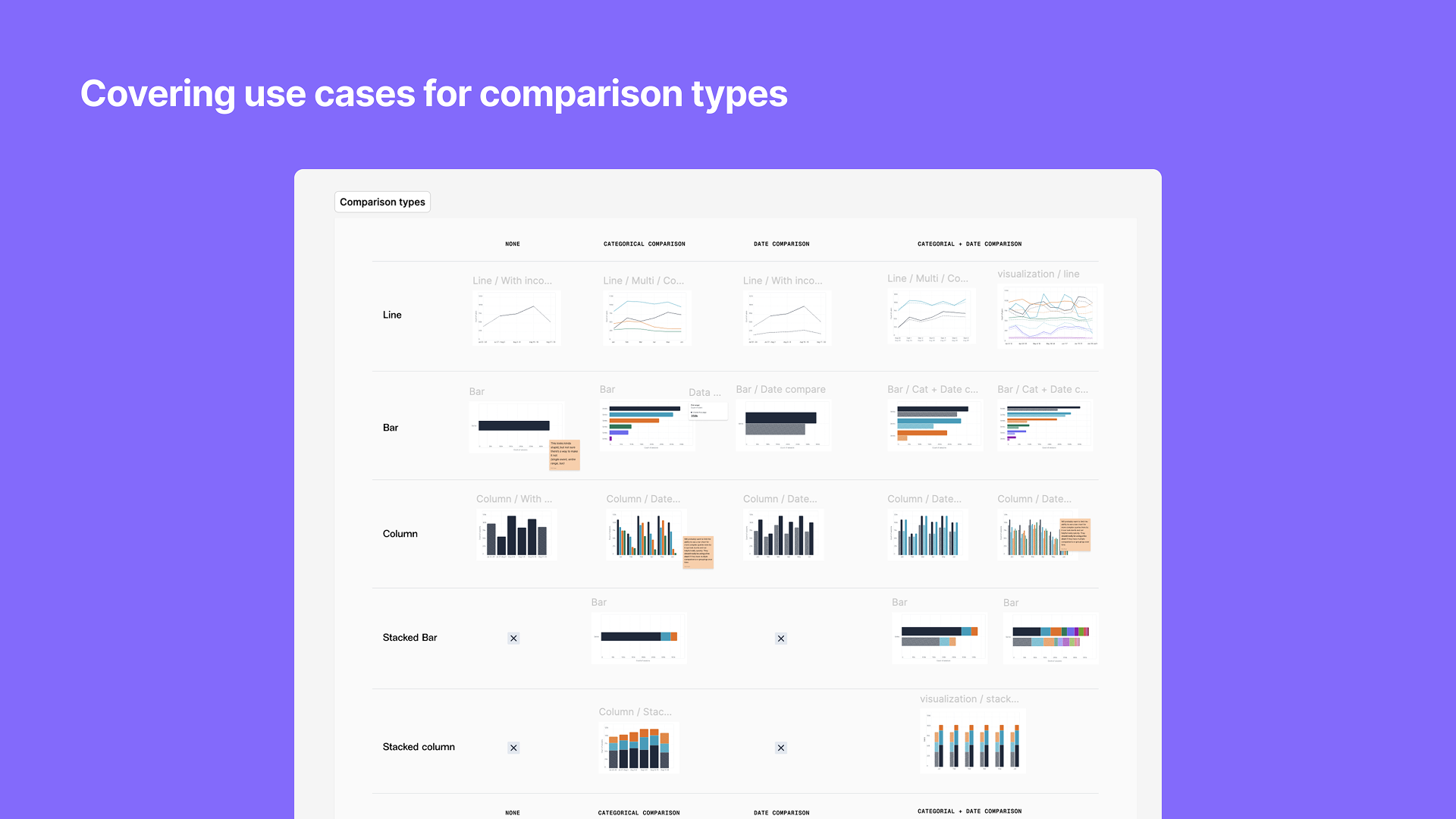
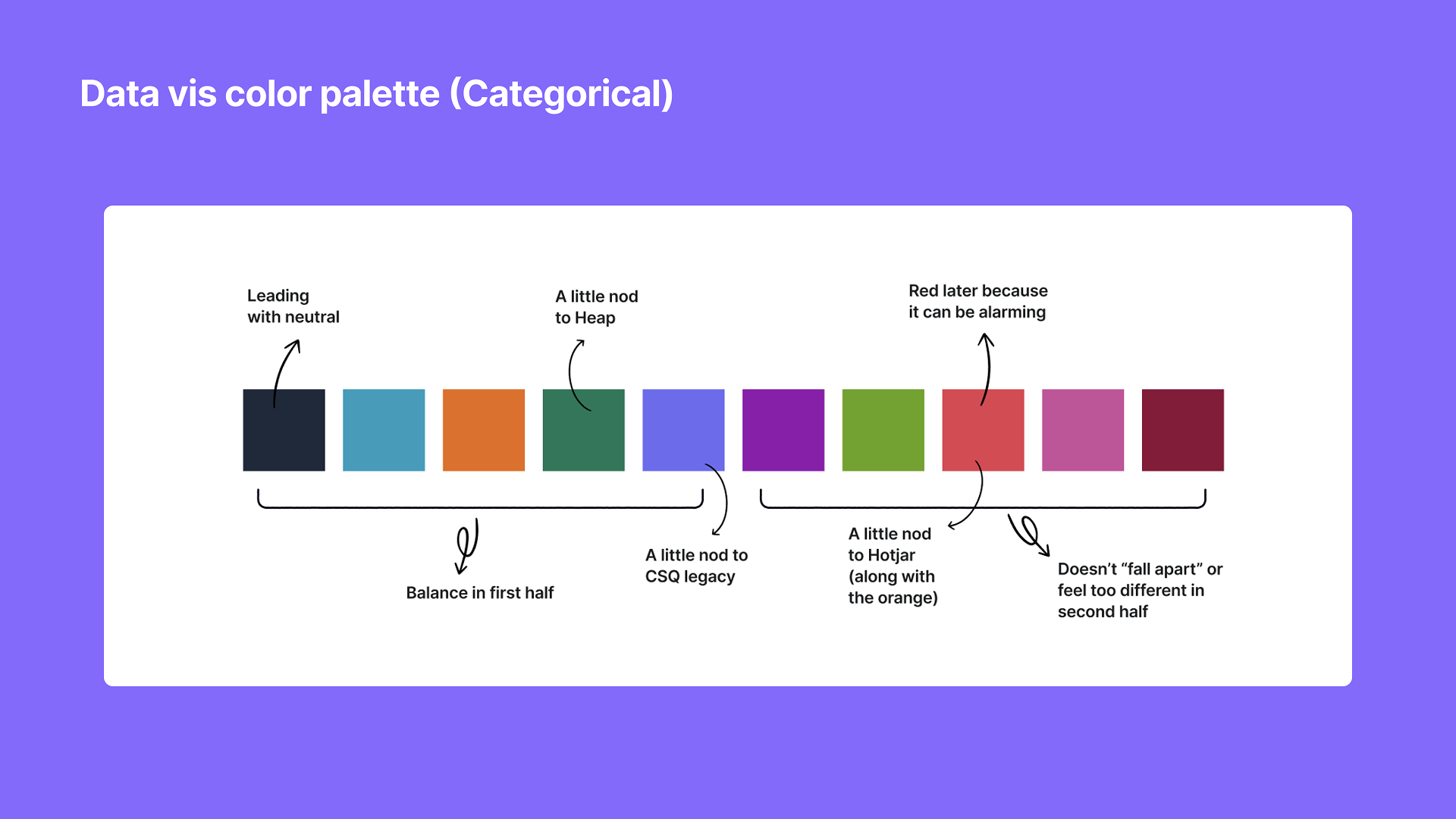
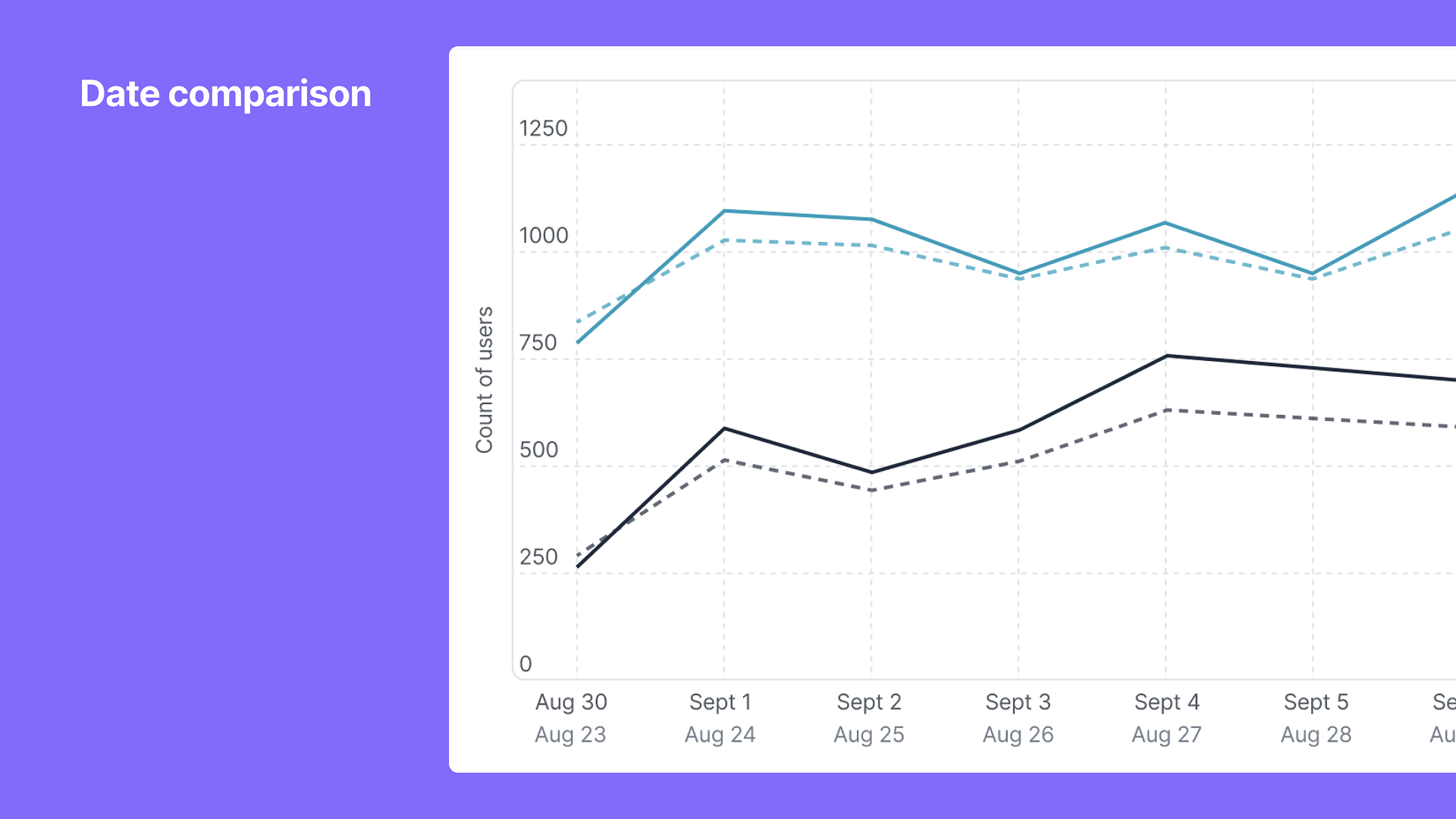
Created a new data visualization library for a unified product, including line charts, bar charts, stacked bars, and grouped bars. Built in best practices for tooltips, trending information (relative vs. absolute change), comparisons, incomplete periods, and axis increments and labeling. Ability to focus in on a single or multiple data points while retaining context. Also, created an updated color palette for data visualizations that brings together best practices and brand nods to the merging brands (Contentsquare, Heap, Hotjar). A big thank you Lisa Charlotte Muth, an expert in this area whose writings and resources helped greatly with this effort.
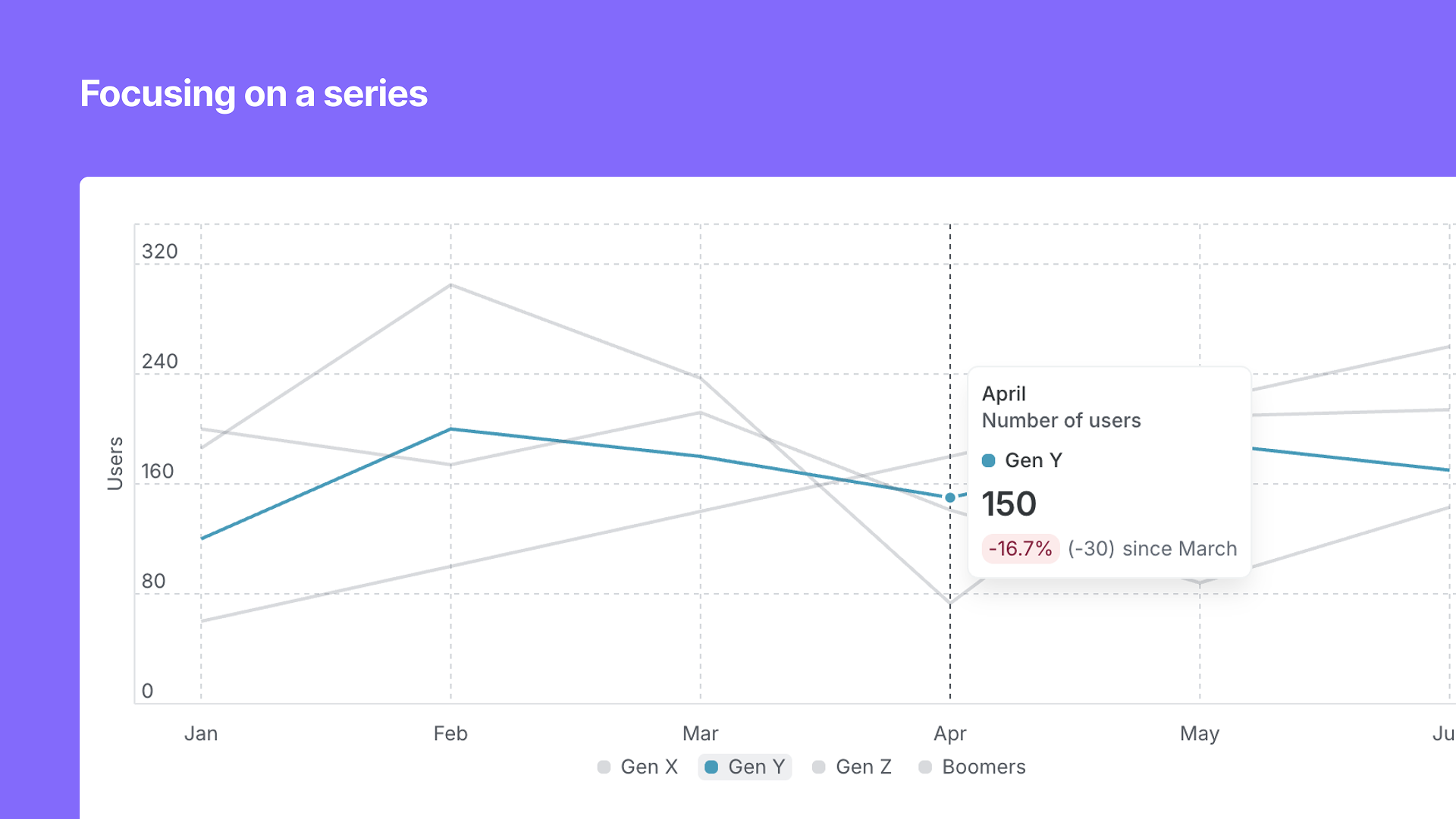
Line graph showing number of users over months, with data for Gen Y in focus, highlighting a decrease of 16.7% since March, with a pop-up window showing 150 users in April.
Line graph titled 'Date comparison' showing the number of users over time from August 23 to September 2, with three different colored lines representing different data sets, on a purple background.
A infographic titled 'Best practices for data visualization color palette (categorical)'. The infographic has two columns, green on the left labeled 'Ensure...' and orange on the right labeled 'Avoid...'. The left column lists five points with green checkmarks: balancing hues, shades, contrast; minimal conflicts for color deficiencies; ordering feels good; looks good with any number of series; works in both small and large contexts. The right column lists five points with orange crosses: using exact brand palette; colors that are too close together; ordering that implies some meaning; unbalanced order; any overt themes.
A colorful bar chart displaying the count of sessions containing an event, broken down by country for February 2025. The countries include the United States, United Kingdom, France, Japan, Germany, and Ireland, with the United States and the United Kingdom showing the highest session counts.
A presentation slide titled 'Covering use cases for comparison types' with a purple background and a section of small example charts and graphs related to data comparison types.
A horizontal color palette with eight rectangles, each labeled with different descriptions. From left to right: a dark navy blue rectangle labeled 'Leading with neutral', a light blue rectangle, an orange rectangle labeled 'A little nod to Heap', a dark green rectangle labeled 'A little nod to CSQ legacy', a purple rectangle labeled 'A little nod to Hotjar (along with the orange)', a green rectangle labeled 'A little nod to Hotjar', a red rectangle labeled 'Red later because it can be be alarming', a pink rectangle, and a dark maroon rectangle. Annotations point to each color indicating design reasons or associations.